
Description
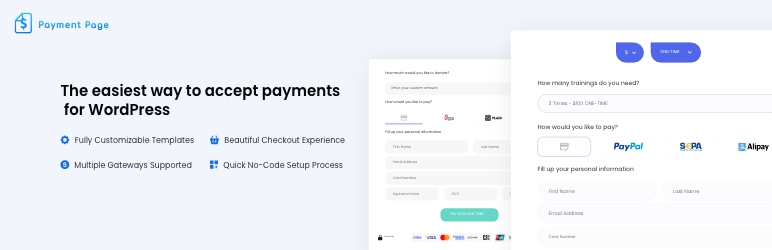
Payment Page builds Stripe payment forms on WordPress without requiring WooCommerce. Create one-time or recurring forms, connect an eligible Stripe account, and publish a form with the plugin shortcode or native Elementor widget.
🎯 BUILT FOR
- Freelancers invoicing clients and collecting retainer deposits
- Coaches & Consultants taking deposits and selling session packages
- Yoga, Fitness & Wellness studios selling memberships and class packs
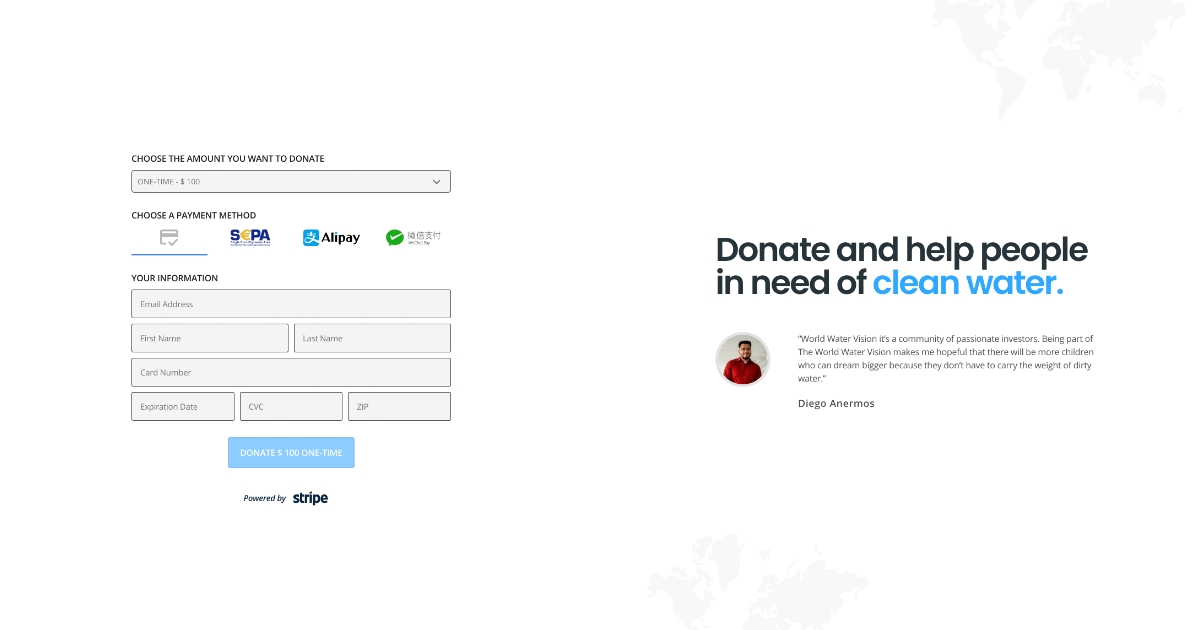
- Nonprofits accepting one-time and recurring donations
- Agencies invoicing monthly maintenance and managing client billing
- Creators & Educators selling courses, gated content, and subscriptions
⚡ KEY FEATURES
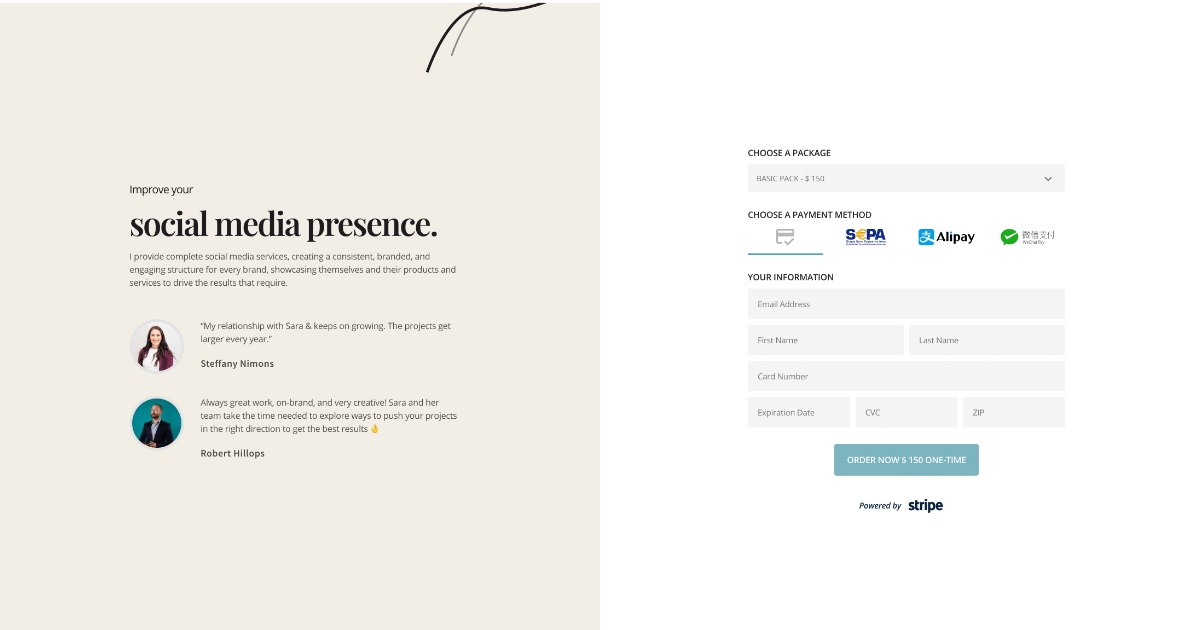
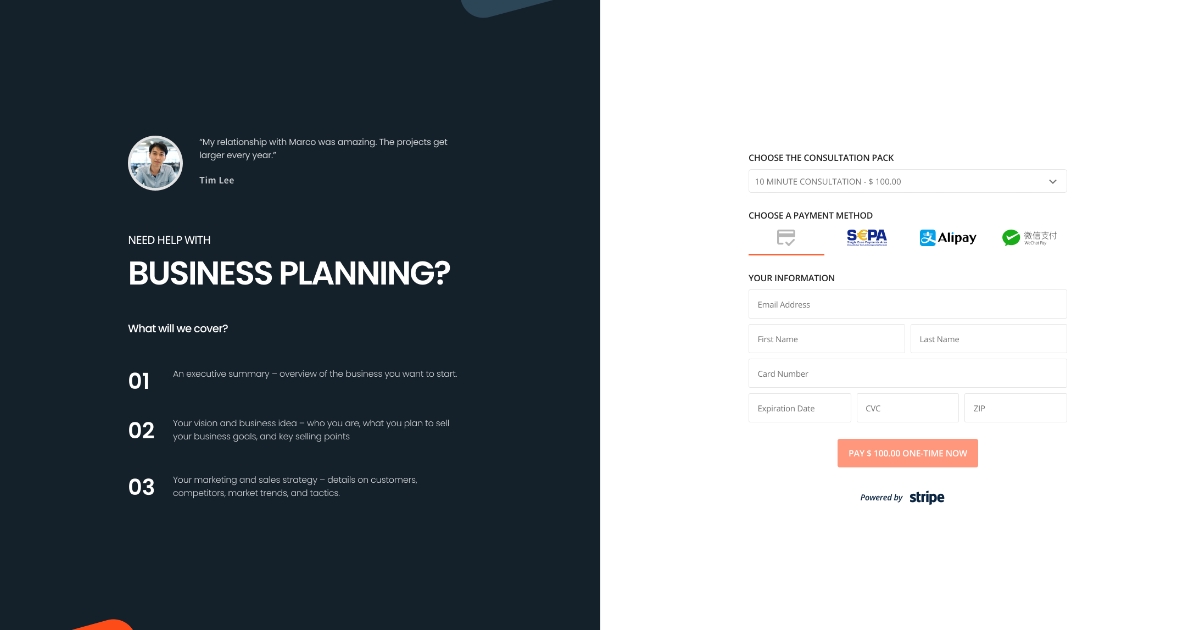
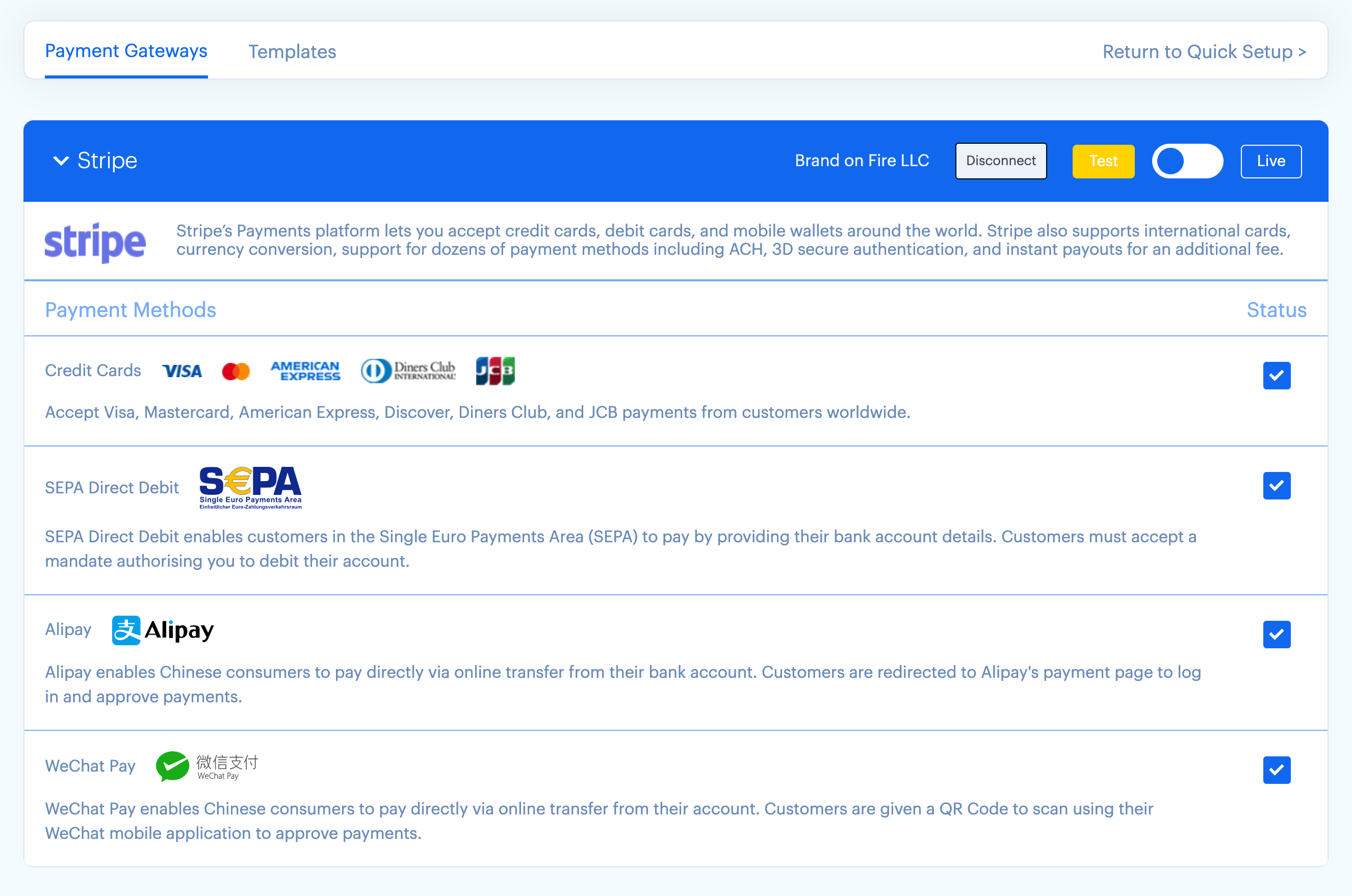
- One-page Stripe forms — cards, Apple Pay, Google Pay, SEPA Direct Debit, Alipay, and WeChat Pay, subject to account, country, currency, browser, device, and recurring-payment eligibility
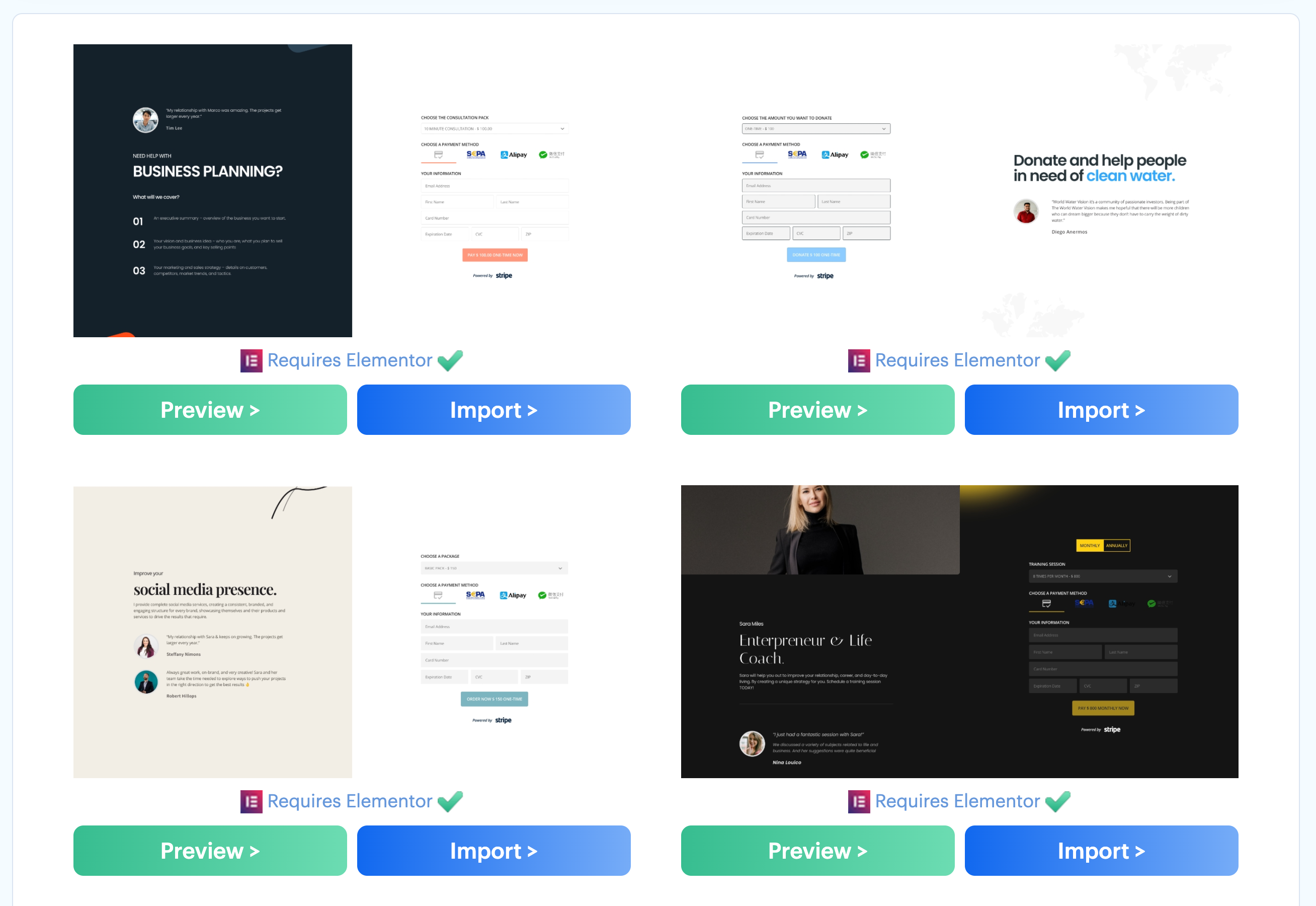
- 22 payment-form setting templates — 10 bundled in the plugin and 12 delivered from the public template endpoint
- 11 separate Elementor full-page layouts — page designs are distinct from the payment-form setting templates
- Stripe Connect onboarding — start the released OAuth onboarding flow from WordPress without copying API keys into the plugin settings
- One-time and recurring plans — one-time, daily, weekly, monthly, quarterly, every six months, annually, and every three years
- Donation forms & custom amounts — let customers choose the amount for donations or invoices
- Custom form fields — collect additional information relevant to the payment
- Prefill form fields — pass values into a form via query strings
- Elementor widget and shortcode — place a released payment form in a page layout
- Post-payment actions — configure confirmation emails, redirects, success/failure messages, and HTTP requests
- PayPal Standard Checkout — an alternative one-time gateway with no Payment Page platform fee
💰 PRICING — FREE TO START, ONLY PAY WHEN YOU EARN
The free version includes the core plugin and applies a 2% Payment Page platform fee to Stripe transactions. Stripe’s own processing fees and terms still apply. Payment Page does not apply that platform fee to PayPal payments.
Upgrade to Pro to:
- Remove the 2% Payment Page platform fee — Stripe processing fees and terms still apply
- Unlock ACH Direct Debit through Stripe Financial Connections, subject to Stripe eligibility
- Priority support
See pricing . Review the governing EULA and the terms shown at checkout before purchasing; the marketing listing does not state a refund duration while public summaries are being reconciled.
🔌 INTEGRATES WITH
- Stripe — Stripe Connect integration for cards, SEPA Direct Debit, Apple Pay, Google Pay, Alipay, and WeChat Pay; ACH Direct Debit is Pro. Availability depends on the connected account and transaction.
- PayPal — Standard Checkout for one-time payments
- Elementor — native payment-form widget
- HTTP endpoints — send a configurable HTTP request after payment
🔒 SECURITY
Stripe card fields are rendered with Stripe Elements rather than ordinary WordPress inputs. Site owners still remain responsible for securing WordPress, restricting access, keeping software updated, showing required notices, and completing the compliance steps that apply to their business and integration.
🆚 WHY CHOOSE PAYMENT PAGE
Payment Page focuses on standalone WordPress payment forms when a WooCommerce cart and catalog are unnecessary. The released plugin combines Stripe Connect onboarding, defined one-time and recurring plans, configurable form fields and actions, 22 form-setting templates, and a native Elementor widget. Payment-method availability remains subject to the selected gateway, account, country, currency, browser, device, plan, and recurring-payment support.
Screenshots
Installation
Minimum Requirements
- WordPress 6.1 or greater
- PHP version 7.4 or greater
- MySQL 5.6+ or MariaDB 10+
- cURL (required for the Stripe API)
- An SSL certificate (required for payments)
5-Step Setup
- Install the plugin from the WordPress.org plugin directory, or upload the .zip via Plugins Add New.
- Activate the plugin.
- Connect Stripe — click “Connect Stripe” and complete Stripe’s onboarding flow for the intended account. Do not follow a production onboarding link from an untrusted site.
- Choose a template — pick from the gallery (10 bundled and 12 remotely delivered form-setting templates) and customize it.
- Add the form to any page via the shortcode
[payment-page-payment-form id=N]or the Elementor widget.
Before accepting live payments, test the form in the gateway’s appropriate test environment and verify success, failure, validation, email, redirect, and HTTP-action behavior for the exact configuration you will publish.
FAQ
-
Is Payment Page free?
-
The core plugin is free on WordPress.org. It applies a 2% Payment Page platform fee to Stripe transactions. Upgrade to Pro at the current public checkout price to remove that Payment Page fee and unlock ACH Direct Debit. Stripe processing fees and terms still apply.
-
How does the 2% platform fee work?
-
When a customer pays through your Stripe Connect account, Stripe routes 2% to Payment Page automatically as the platform application fee. You keep 98% (minus standard Stripe processing). The fee is visible in your Stripe dashboard and applies to Stripe payments only — PayPal payments have no platform fee.
-
How do I remove the 2% fee?
-
Upgrade to Pro. The Payment Page platform fee is 0% while an eligible Pro license is active. Pro also unlocks ACH Direct Debit through Stripe Financial Connections and includes priority support.
-
What payment methods are supported?
-
Stripe: credit and debit cards, SEPA Direct Debit, Apple Pay, Google Pay, Alipay, and WeChat Pay in Free and Pro; ACH Direct Debit through Stripe Financial Connections in Pro. PayPal: PayPal Standard Checkout for one-time payments. Availability varies by gateway, connected account, country, currency, browser/device, plan, and recurring-payment compatibility.
-
Does Payment Page work with Elementor?
-
Yes. Payment Page includes a native Elementor widget. Drop it into any section, point it at a form, and the form renders inline.
-
Do I need WooCommerce?
-
No. Payment Page is a standalone payment-form plugin and does not require a WooCommerce cart or product catalog. It is not a WooCommerce checkout gateway.
-
Are recurring subscriptions supported?
-
Yes, through Stripe on both Free and Pro. The released choices are daily, weekly, monthly, quarterly, every six months, annually, and every three years. Currency and payment-method eligibility depend on the connected Stripe account and recurring-payment compatibility.
-
Can I accept custom donation or invoice amounts?
-
Yes. A pricing plan can be configured to let the customer enter a custom amount. Verify the exact gateway, plan, amount constraints, and recurring configuration before publishing the form.
-
Does Payment Page support Apple Pay and Google Pay?
-
The released Stripe gateway exposes both methods in Free and Pro. Actual display and eligibility depend on Stripe, the connected account, country, currency, domain, browser/device, and payment configuration.
-
How does ACH work?
-
Payment Page 1.5.3 uses Stripe Financial Connections for ACH Direct Debit, and the shipped code gates ACH to Pro. Stripe controls account and transaction eligibility. ACH is asynchronous, so merchants must not treat an initiated payment as settled until its final status is confirmed.
-
Is Payment Page Stripe Connect or single-account Stripe?
-
Stripe Connect. Payment Page starts Stripe’s OAuth onboarding flow from the plugin. Stripe controls onboarding requirements, account eligibility, and connected-account status.
-
Where can I get support?
-
Docs: docs.paymentpageplugin.com. Free community support is available through the WordPress.org plugin forum. Pro includes priority support through paymentpageplugin.com/support, without a fixed response-time guarantee.
Reviews


Contributors & Developers
“Payment Page – Stripe Payment Forms for Donations, Subscriptions & Recurring Payments” is open source software. The following people have contributed to this plugin.
Contributors


“Payment Page – Stripe Payment Forms for Donations, Subscriptions & Recurring Payments” has been translated into 12 locales. Thank you to the translators for their contributions.
Interested in development?
Browse the code, check out the SVN repository, or subscribe to the development log by RSS.
Changelog
1.5.3
- Security: Checkout now uses a signed, server-authored contract for the form, price, currency, billing interval, gateway, and payment method; cached 1.5.2 pages receive a bounded compatibility path that still resolves values from the current form.
- Reliability: Stripe checkout attempts now keep durable local/provider references and stable idempotency across duplicate clicks, reloads, retries, and lost responses.
- Reliability: One-time and subscription checkout now validates Stripe products, prices, customers, intents, first invoices, amounts, currencies, modes, and payment methods before reporting an outcome.
- Fixed: Payment Page 1.5.2 incorrectly added a subscription’s configured First Payment Amount on top of the recurring price; 1.5.3 now uses it as the exact first invoice amount while later invoices remain at the recurring price.
- Reliability: Browser recovery now reconciles interrupted Stripe attempts with WordPress and safely clears terminal failures so customers can retry.
- Compatibility: Free and Pro checkout now use the same explicit Stripe API 2024-06-20 response contract. Existing Payment Page 1.5.2 webhook endpoints using 2026-04-22.dahlia remain supported and are upgraded in place without rotating their signing secrets.
- Webhooks: Stripe handling now covers the complete released 12-event payment, setup, invoice, and subscription lifecycle with ordered, idempotent processing.
- Webhooks: Payment Page-owned Stripe Connect endpoints can be upgraded in the background to the required event set; manually managed endpoints are left untouched and must be configured with the event list shown in wp-admin.
- PayPal: Standard Checkout remains one-time only, with server-created orders, exact amount/currency/order binding, server-side capture verification, idempotent retries, and verified webhook reconciliation.
- Fixed: The wp-admin form preview now renders selected payment methods even when the current gateway mode is not connected.
- Fixed: Imported templates now preserve their exact payment-method choices instead of inheriting every enabled gateway method.
- Safety: Admin previews no longer initialize payment-provider SDKs or synchronize payment data.
- Fixed: The form editor now fails closed instead of leaving a loader visible when no eligible gateway exists or optional marketing content is unavailable.
- Fixed: The form editor settings and preview now adapt to smaller screens.
- Corrected: ACH now uses a neutral bank icon and evergreen Stripe Financial Connections migration guidance instead of legacy Plaid branding and an unverified cutoff date.
- Corrected: Microsoft Pay, which is no longer supported by the Stripe wallet integration, is no longer selectable or rendered; legacy stored values remain inert and other supported payment methods remain unchanged.
- Fixed: All 10 bundled form templates now import their complete settings as one intact WordPress metadata value.
- Fixed: URL prefill now accepts only valid currency, billing-frequency, and amount combinations; return parameters preserve existing queries and fragments; custom amounts respect zero-, two-, and three-decimal currencies.
- Compatibility: Restored WordPress 6.1–6.3 installation and update support after validating Payment Page 1.5.3 on WordPress 6.1.1 with PHP 7.4.
- Reliability: PayPal certificate-error retries now use WordPress core’s readable CA bundle; ordinary cURL certificate handling is unchanged.
- Safety: Freemius uninstall now invokes Payment Page’s strict cleanup guards in both Free and Pro, and refuses destructive cleanup when recent payment activity cannot be verified.
- Compatibility: Activating Free or Pro now quietly deactivates the other package before a second Payment Page runtime can bootstrap.
- Packaging: Free and Pro distributions no longer include the vendored PSR logger test classes.
See changelog.txt for the full version history.