

Description
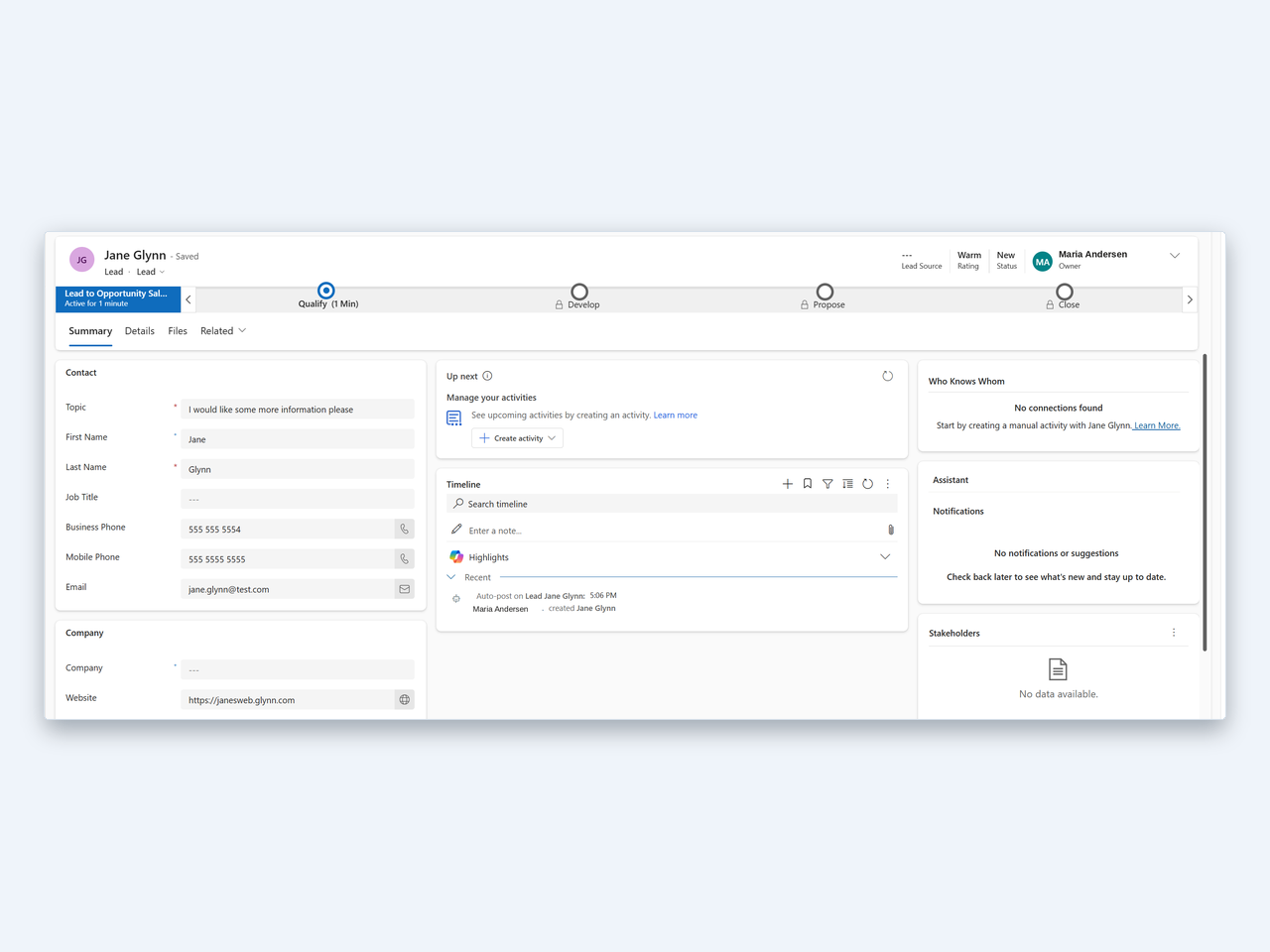
Cordex Forms connects your WordPress site to Microsoft Dataverse, the data platform behind Dynamics 365 Customer Engagement and Power Apps. You build a submission form in the admin, place its shortcode on a page, and each submission is written to your environment as a new record.
The connection uses a service principal (a Microsoft Entra app registration added to your environment as an application user), so it does not depend on a signed-in person.
What the plugin does
- Connects to one Microsoft Dataverse / Dynamics 365 environment using a service principal. You can test the connection from the admin; the result and its timestamp are saved.
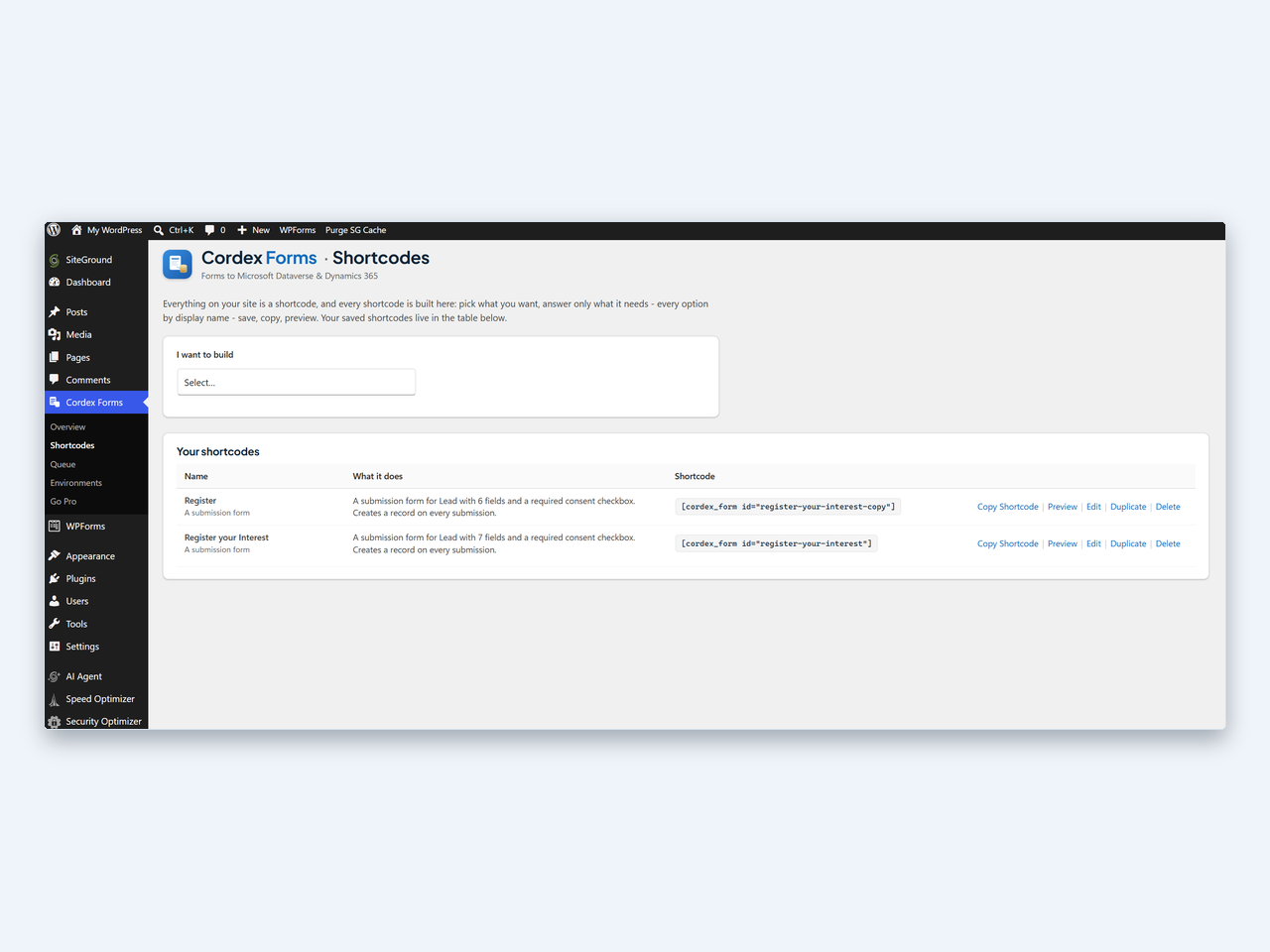
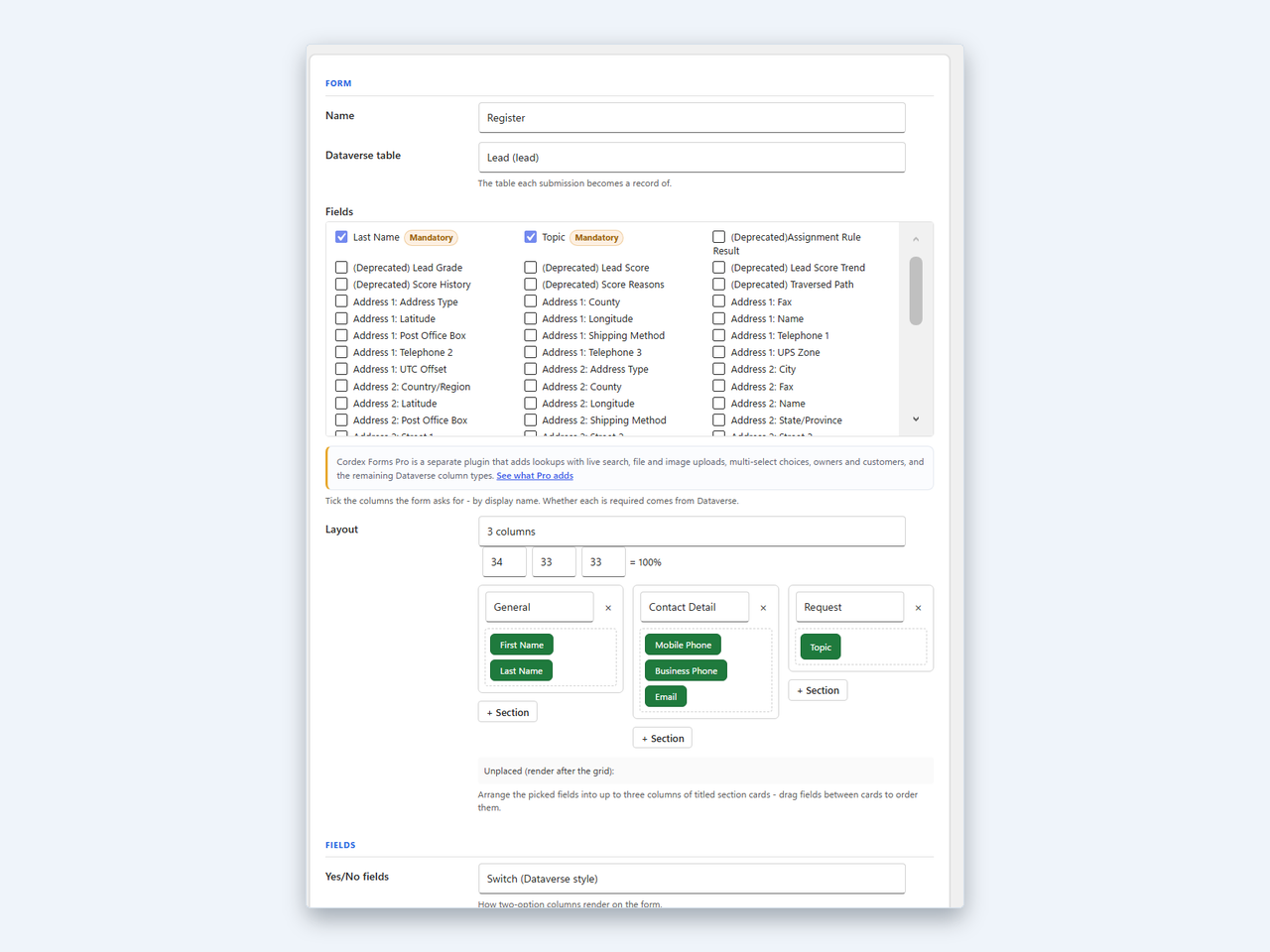
- Builds submission forms in the admin: choose a table, tick the columns you want by display name, and place the generated
[cordex_form id="..."]shortcode on any page. There is no limit on the number of forms, and no other plugin is required. - Supports these Dataverse column types: single-line text, multi-line text, single choice (option set), yes/no, whole number, decimal, float, currency, and date/time. Choice and yes/no options are read from your table’s own metadata. Date/time values are sent in the representation the column’s behaviour requires (UTC for User Local, a bare date for Date Only, wall-clock for Time Zone Independent).
- Validates every submission server-side against the table’s metadata before a record is created. The browser only ever posts values against a saved form id, never field definitions.
- Turns on anti-abuse by default: a nonce, a honeypot field, a minimum fill-time check, and per-IP rate limiting on the submission endpoint (10 submissions per 10 minutes by default).
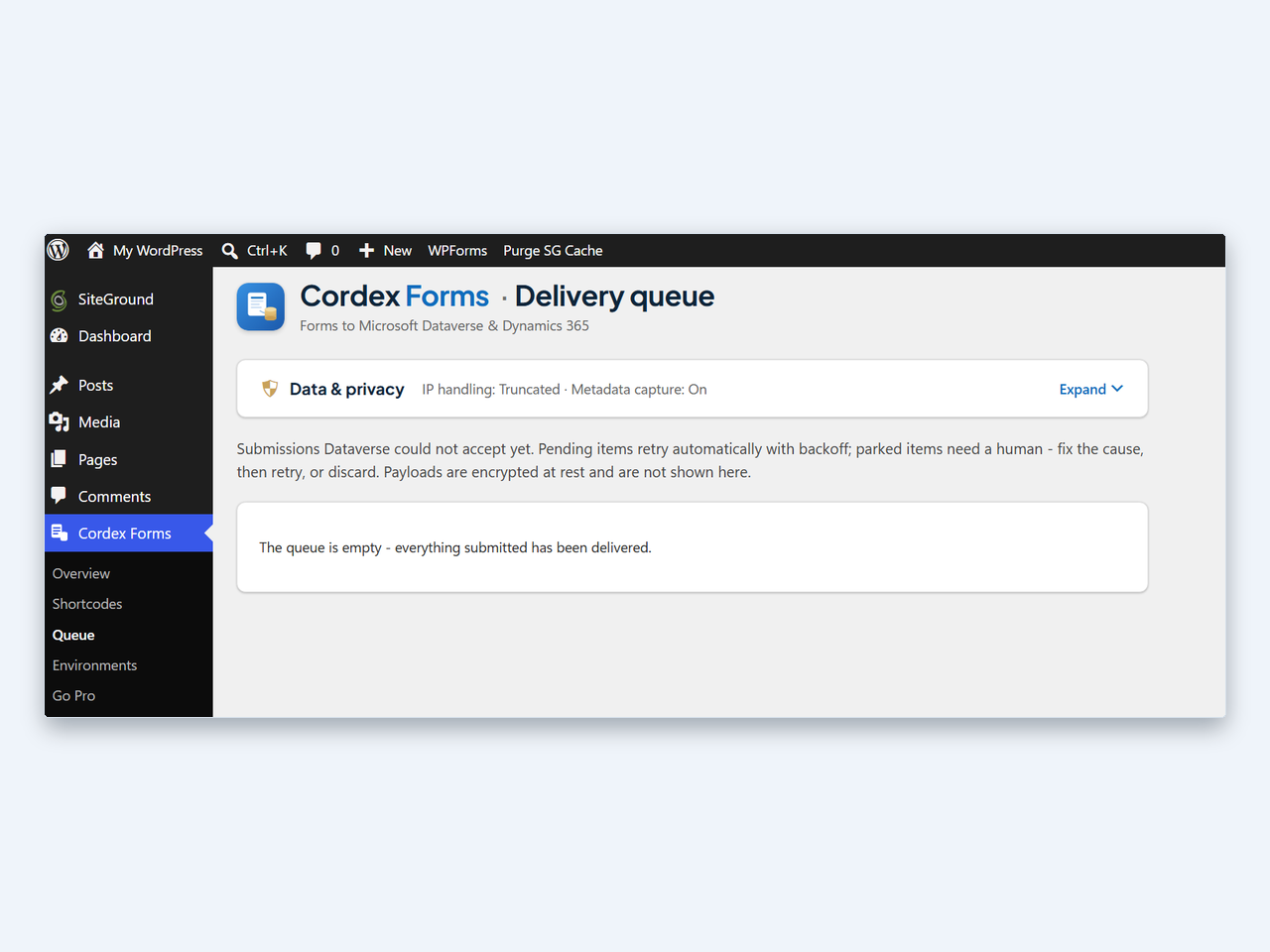
- Queues submissions when Dataverse is unreachable. Accepted submissions are stored locally, encrypted at rest, and retried automatically with exponential backoff and jitter, honouring any Retry-After the service sends. The visitor still sees the normal success message. Items that cannot succeed are parked on the Queue screen for review, retry, or discard, and the site administrator is emailed (at most once every six hours).
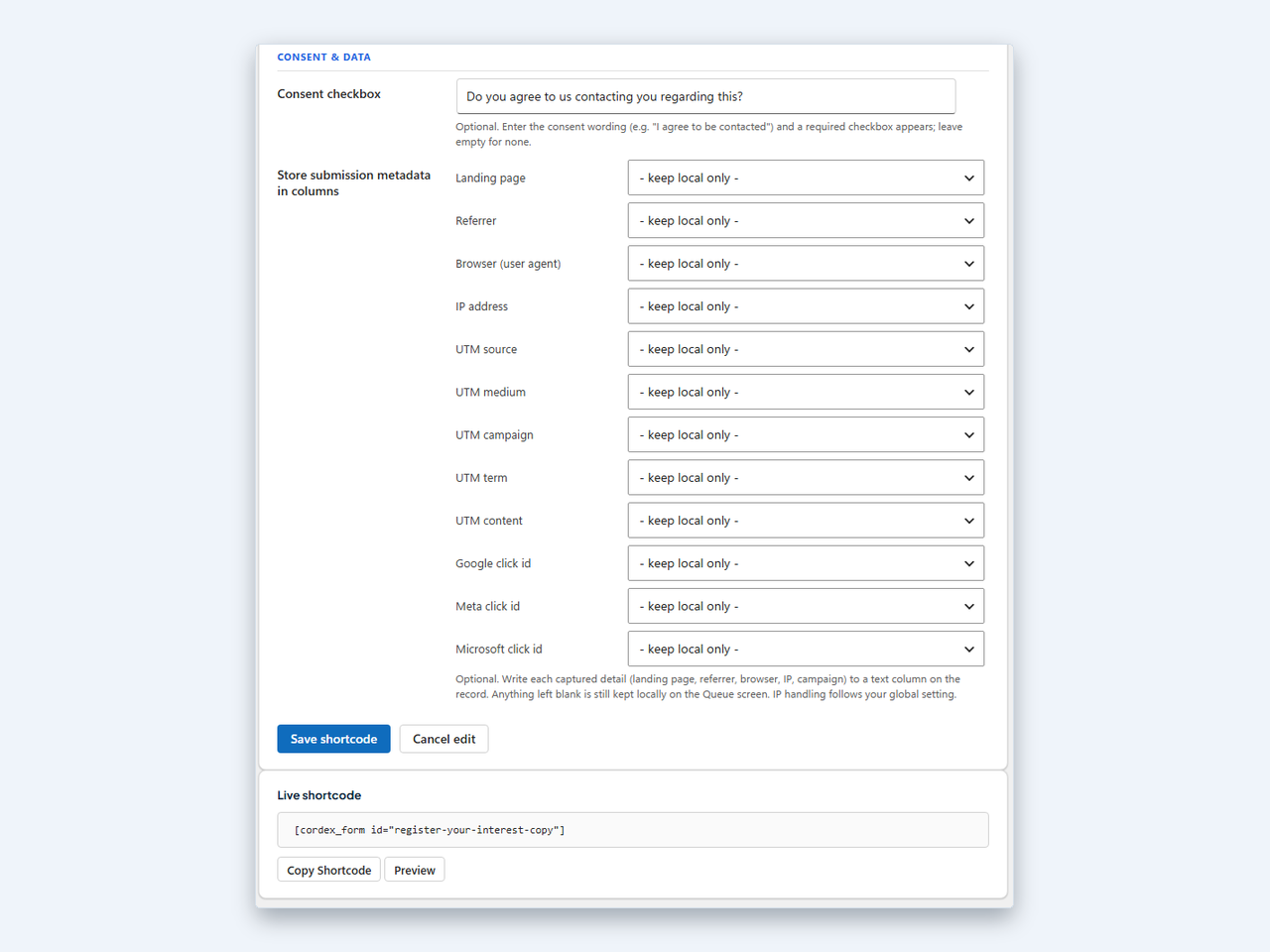
- Records consent: an optional required consent checkbox with your own wording. Each edit of the wording appends a new immutable version to the form’s history, and queued submissions record the version and UTC timestamp they were submitted under.
- Captures submission context server-side: landing page, referrer and browser user agent, plus the visitor’s IP address stored full, truncated, hashed, or not at all, as you choose. UTM parameters and Google/Meta/Microsoft click ids are captured only when the visitor consents. Each detail can be written to a text column on the record or kept local only.
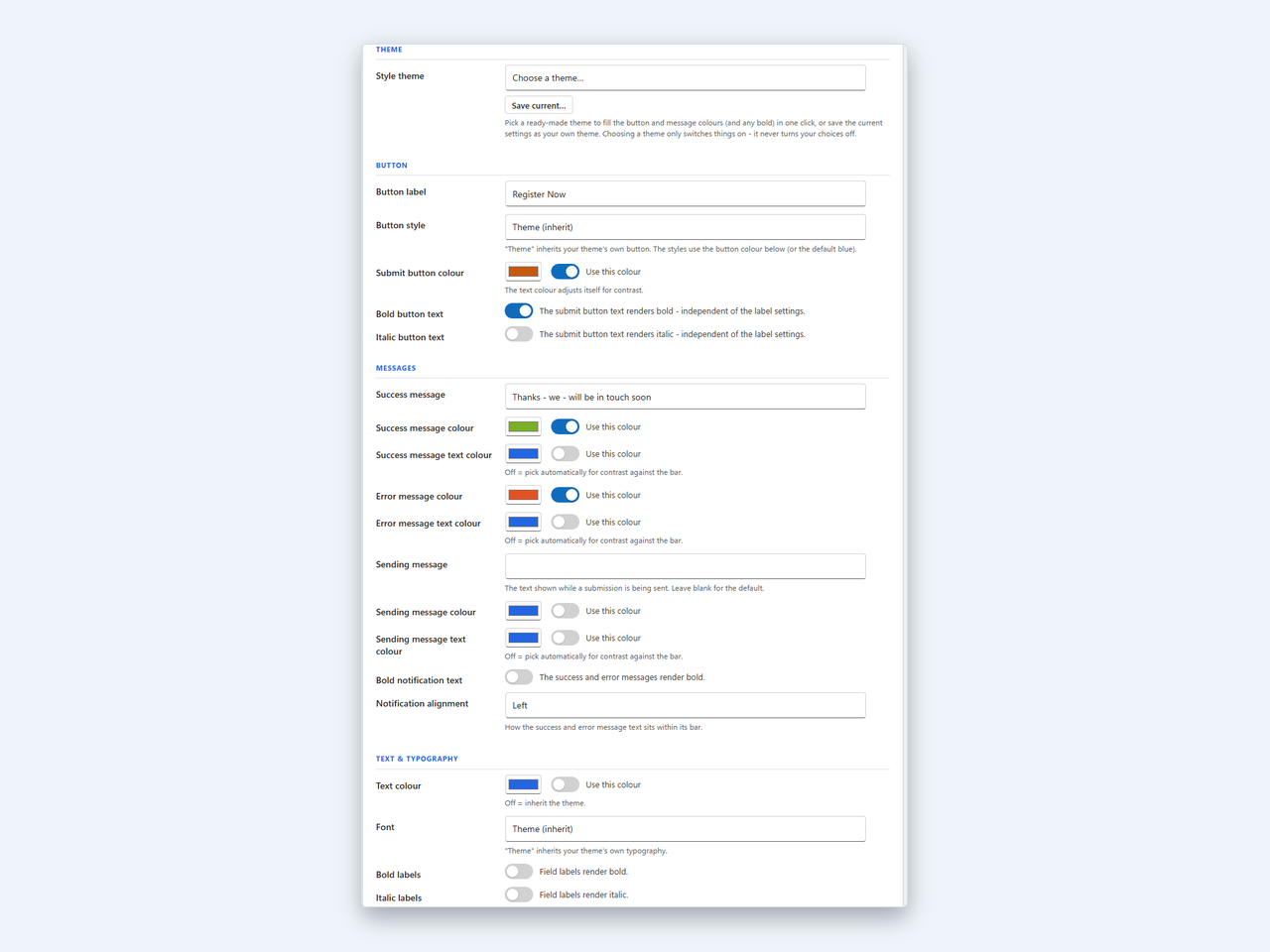
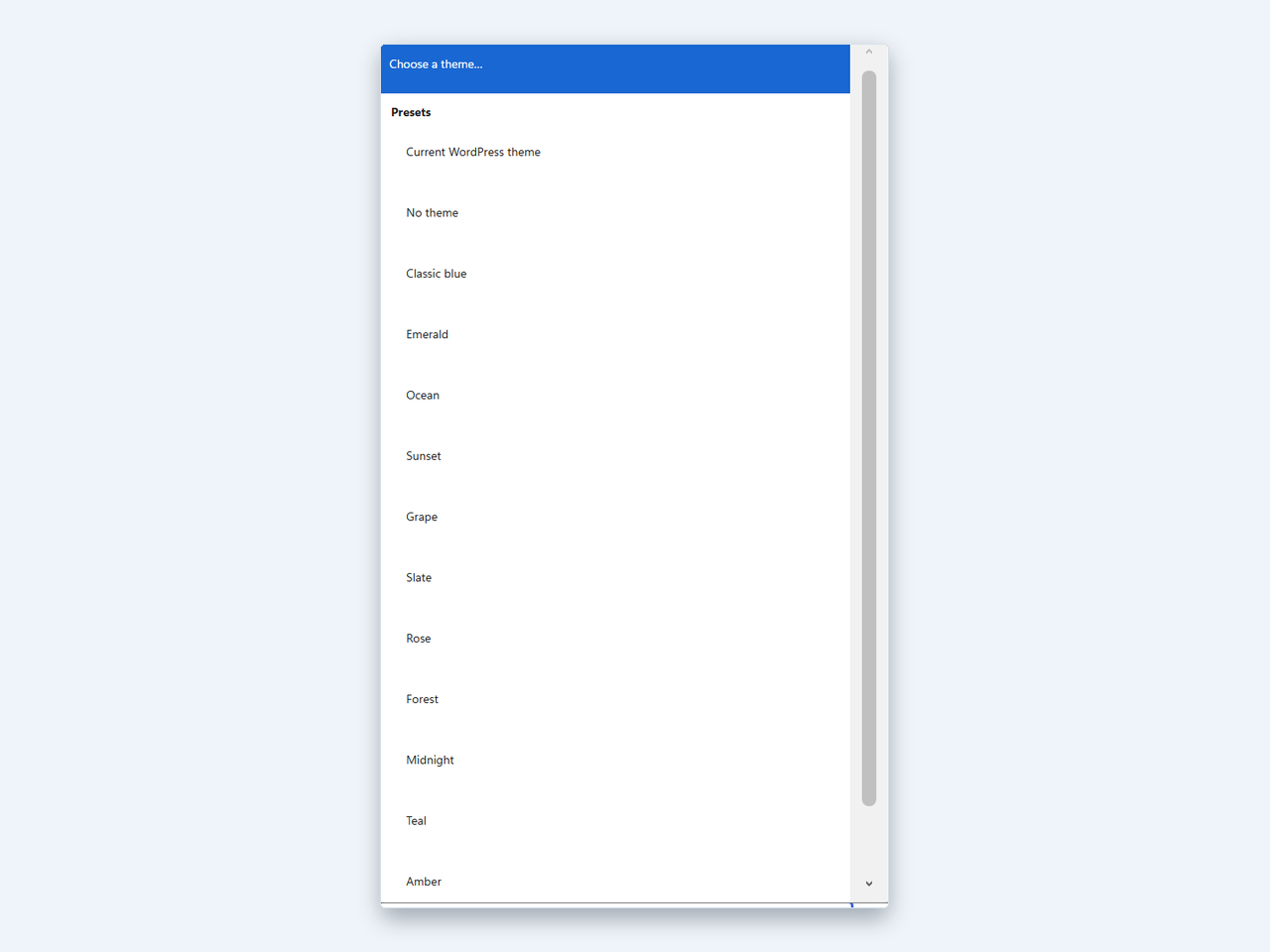
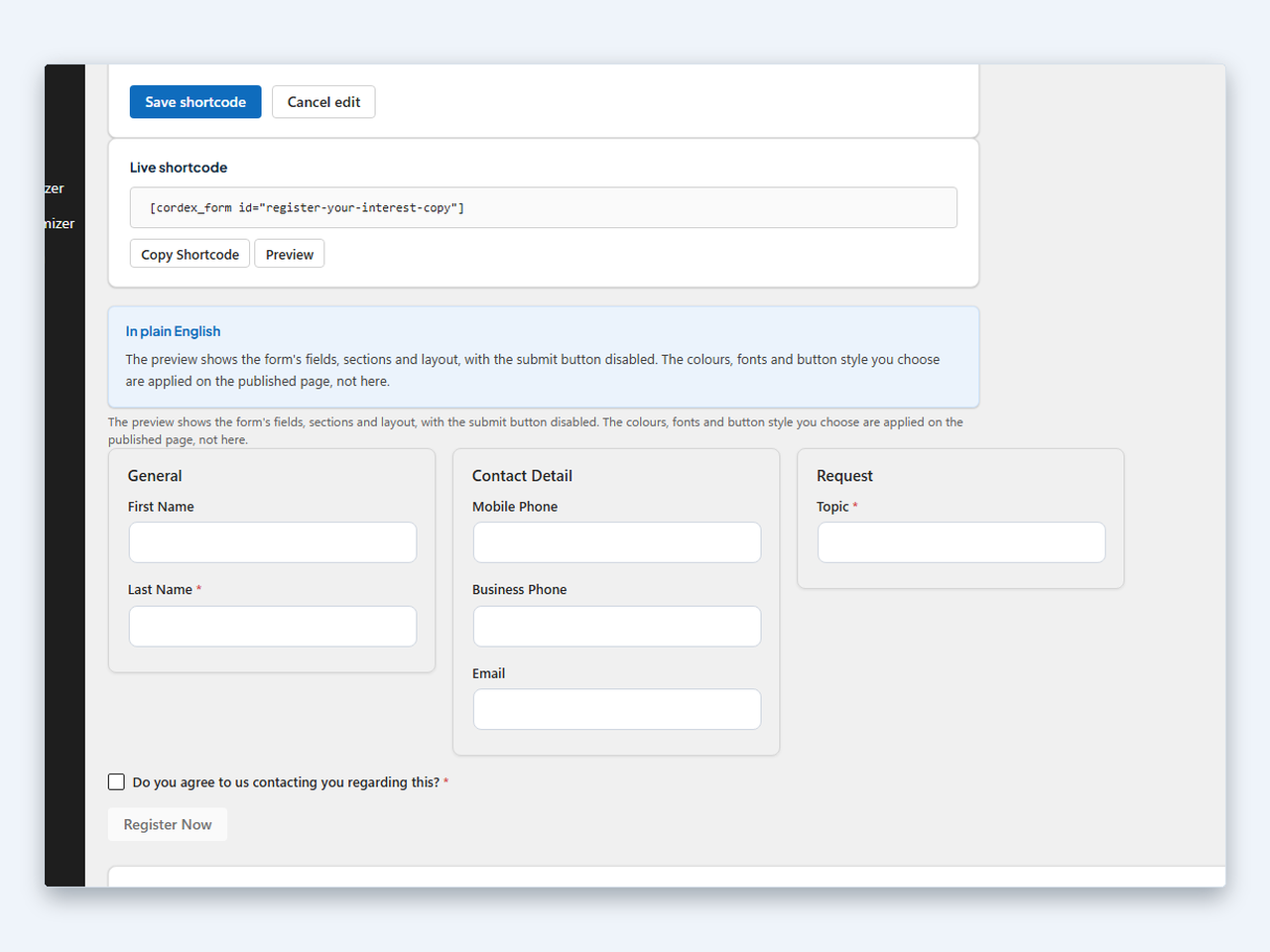
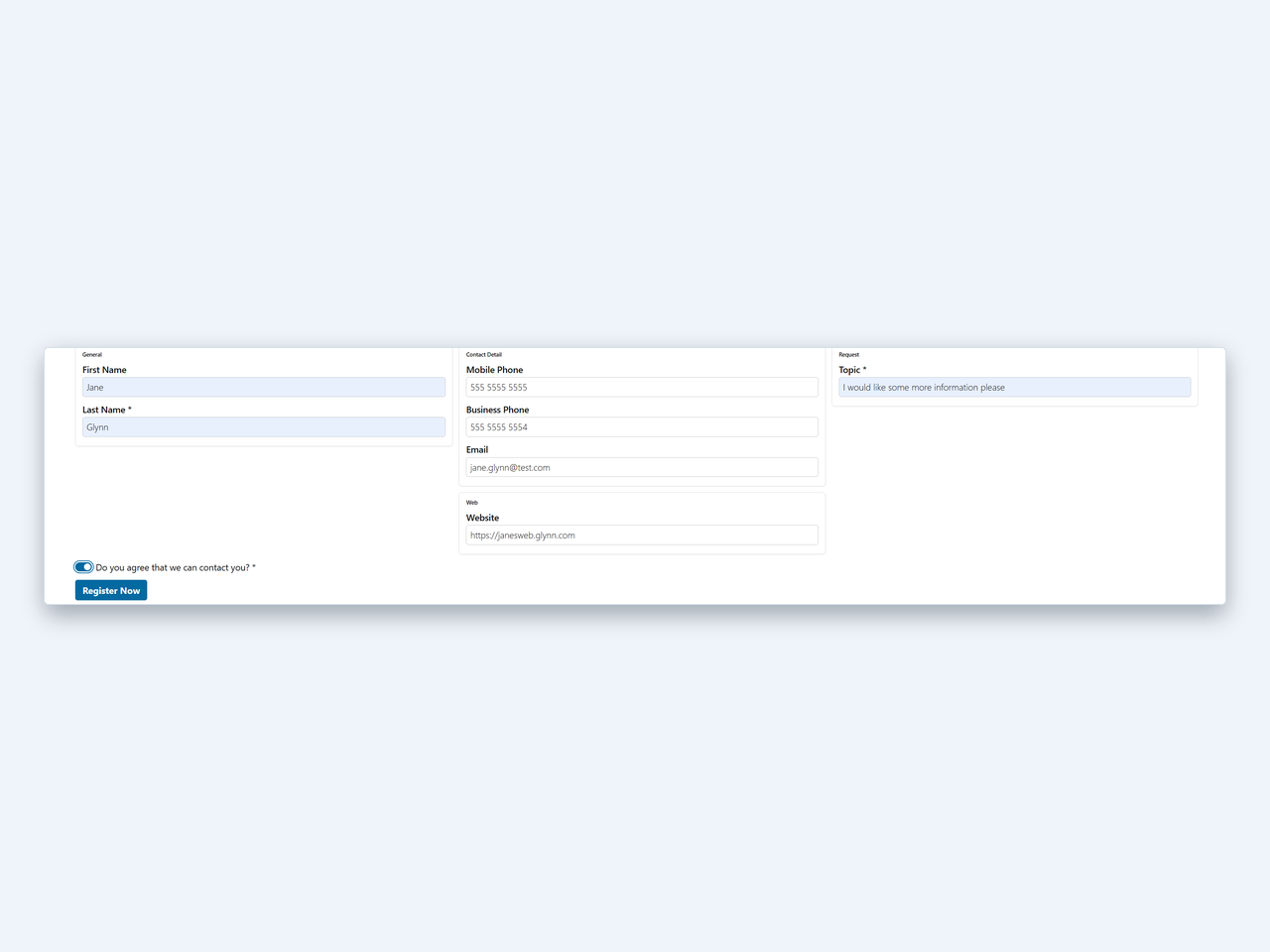
- Lays out forms in one to three columns of titled sections, with optional column widths, button and colour theming, twelve presets, and themes you can save and reuse. Unset options inherit your active WordPress theme.
- Encrypts the client secret at rest in your database using the PHP sodium extension. The secret is write-only: once saved it is never rendered or returned by any screen or endpoint.
- Guards the environment URL against SSRF: only Microsoft-operated Dataverse and Dynamics hosts are accepted, checked both when saved and again before every outbound request. Redirects are never followed.
- Integrates with the WordPress privacy tools: the personal-data exporter and eraser cover the plugin’s queued submissions.
- Exports and imports the whole configuration as a JSON file for backup or migration. Client secrets are never written to an export.
- Uninstalls cleanly, removing the plugin’s options, table, scheduled event and cached tokens, with an opt-in setting to retain data for a migration.
Requirements
- WordPress 6.2 or later and PHP 7.4 or later.
- The PHP sodium extension (
sodium_crypto_secretbox). It is required, not optional: the plugin encrypts credentials with it and will not start without it. Sodium is bundled with PHP 7.2 and later on most hosts. - Your own Microsoft Dataverse / Dynamics 365 environment, and an application user (service principal) with privileges to create rows on the tables you write to. Cordex Forms does not provide the Microsoft environment.
Cordex Forms Pro
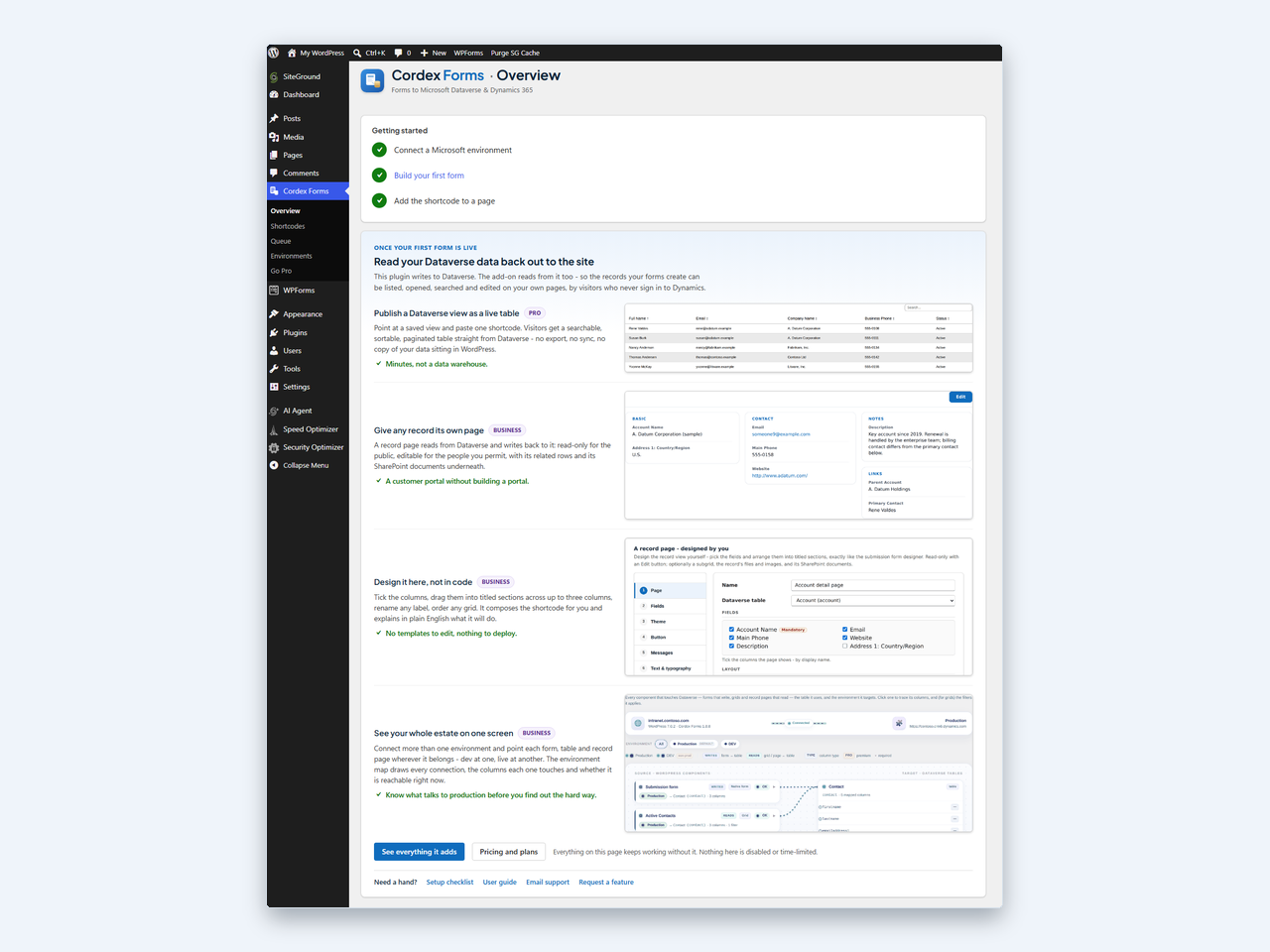
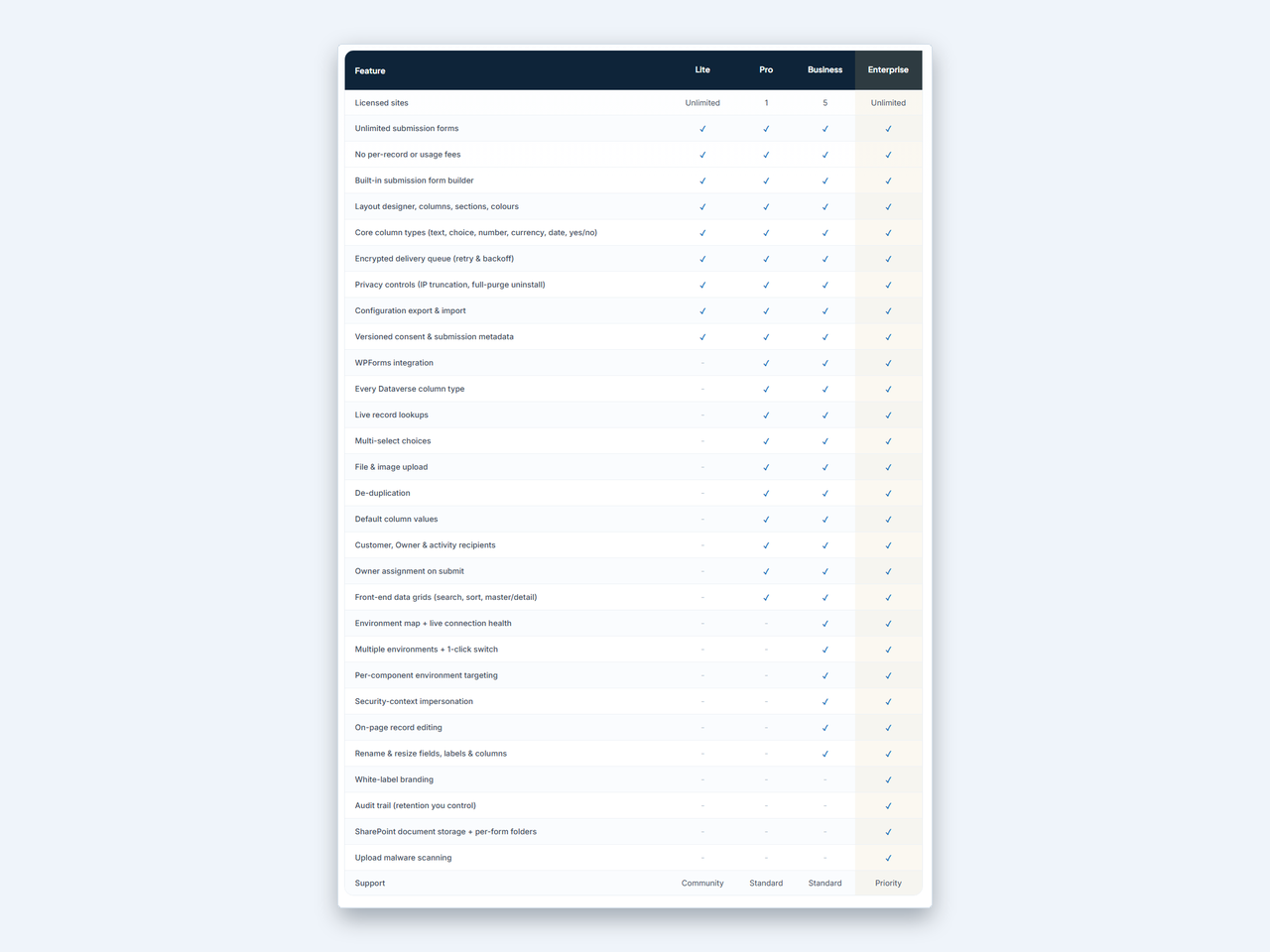
Everything described in this readme is included in this plugin and is fully functional as installed. Nothing here is limited, timed, restricted by quota, or unlocked by a key, and the plugin contains no licensing code of any kind. Cordex Forms Pro is a separate plugin, installed alongside this one, for sites whose tables need column types and features this plugin does not implement:
- Lookup, Customer, Owner and party-list columns, with live record search.
- File and image upload columns, and multi-select choice columns.
- Related-record writes, and submitting in a specific Dataverse user’s security context.
- Reading Dataverse data back out to the site: data grids and record pages.
- More than one environment, and an overview of which component targets which environment.
Details: https://myitandapps.com.au/products/cordex-forms/ – support: cordex-forms@myitandapps.com.au
External services
This plugin contacts two remote endpoints, both of them Microsoft services that you configure. It does not contact the plugin author or any other third party.
1. Microsoft Entra ID – login.microsoftonline.com
Used to obtain the OAuth 2.0 access token that authorises every call to your Dataverse environment.
- What is sent: an HTTP POST to
https://login.microsoftonline.com/{tenant id}/oauth2/v2.0/token, with your Microsoft Entra tenant id in the URL path and, in the request body,grant_type=client_credentials, the application (client) id, the client secret, and a scope of{your environment URL}/.default. These are the credentials you entered on the Environments screen. No visitor data and no form data are ever sent to this endpoint. - When it happens: only when the site does not already hold a valid cached token. The token is cached in a WordPress transient for the lifetime Microsoft reports, less sixty seconds – typically about one hour – so under continuous use the endpoint is called roughly once an hour. It is also called when you use Test connection.
- Service terms: https://www.microsoft.com/licensing/terms/
- Privacy statement: https://privacy.microsoft.com/privacystatement
2. Your own Microsoft Dataverse / Dynamics 365 environment
This is the environment URL you enter on the Environments screen, for example https://yourorg.crm6.dynamics.com. It is your own Microsoft tenant, under your own agreement with Microsoft. It is not a service operated by the author of this plugin, and the author has no access to it.
- What is read: table, column and choice metadata from the Web API (
EntityDefinitions,Attributes, option sets), plus aWhoAmIcall when you use Test connection. Metadata responses are cached locally for about ten minutes. - What is written: one record per submission, created with
POST /api/data/v9.2/{entity set}. The record contains the values the visitor entered in the form’s fields, and – only for the details you have explicitly mapped to a column on the Shortcodes screen – the landing page URL, the HTTP referrer, the browser user agent, the visitor’s IP address in the form your IP mode produces (full, truncated, hashed, or omitted entirely), and, when the visitor has ticked the consent box, theutm_source,utm_medium,utm_campaign,utm_termandutm_contentparameters and thegclid,fbclidandmsclkidclick ids. A per-submission correlation reference and the consent version are also written where you have mapped columns for them. Details you have not mapped are never sent to Dataverse. - When it happens: on every form submission; when an administrator opens the form builder or saves a form, to read metadata (subject to the ten-minute cache); when you use Test connection; and on an unattended scheduled task. That scheduled task is a WordPress cron event that runs every five minutes, claims up to ten queued submissions that are due, and attempts to deliver them to your environment. It is registered when the plugin is activated and removed when it is deactivated, and it will make outbound requests without an administrator being present whenever the queue is not empty.
- Terms and privacy for this endpoint are those of your own Microsoft agreement; see https://www.microsoft.com/licensing/terms/ and https://privacy.microsoft.com/privacystatement
No data is sent to the plugin author or to any third party. The plugin performs no analytics, telemetry, usage tracking, update checks or remote logging of any kind.
Bundled fonts
The plugin’s admin screens use two open-source typefaces, both bundled with the plugin and served from your own site. No CDN or external font service is contacted.
- Inter, copyright the Inter Project Authors, SIL Open Font License 1.1.
- Plus Jakarta Sans, copyright the Plus Jakarta Sans Project Authors, SIL Open Font License 1.1.
The full licence text for each is included in assets/fonts/ as ofl-inter.txt and ofl-plusjakartasans.txt. The font files are used only in wp-admin; the front-end form ships no stylesheet and inherits your active theme.
Trademarks and affiliation
Cordex Forms is an independent product developed by My IT & Apps Pty Ltd. It is not affiliated with, endorsed by, or sponsored by Microsoft Corporation. “Microsoft”, “Microsoft Entra”, “Microsoft Dataverse”, “Dynamics 365”, “Power Apps” and “Power Platform” are trademarks of the Microsoft group of companies. “WordPress” is a trademark of the WordPress Foundation. These names are used only to describe compatibility.
Licensing, updates and checkout for this plugin are powered by Key-Warden.
Screenshots
Installation
- Upload the
cordex-formsfolder to/wp-content/plugins/, or install the plugin through the Plugins screen in WordPress. - Activate the plugin through the Plugins screen.
- Create a Microsoft Entra app registration with a client secret, and add it to your environment as an application user with privileges to create rows. See https://learn.microsoft.com/power-platform/admin/manage-application-users
- In WordPress, go to Cordex Forms – Environments, enter the environment URL, tenant id, application (client) id and client secret, then use Test connection.
- Go to Cordex Forms – Shortcodes, build a form by choosing a table and ticking its columns, and place the generated
[cordex_form id="..."]shortcode on any page.
FAQ
-
Does this require another forms plugin?
-
No. Cordex Forms includes its own submission form. You build it in the admin, place it with the
[cordex_form]shortcode, and each submission creates a Dataverse record. -
Do I need anything from Microsoft?
-
Yes. You need your own Microsoft Dataverse or Dynamics 365 environment and an application user (service principal) that can create rows on the tables you want to use. Cordex Forms does not provide the Microsoft environment, and cannot work without one.
-
Why does the plugin say it needs the PHP sodium extension?
-
Because it encrypts your Dataverse client secret, and every queued submission, with libsodium’s authenticated encryption. If
sodium_crypto_secretbox()is unavailable, the plugin refuses to start and shows an admin notice rather than storing credentials unprotected. Sodium ships with PHP 7.2 and later and is enabled by default on most hosts; if yours has it disabled, ask your host to enable it. -
Which Dataverse column types can a form use?
-
Single-line text, multi-line text, single choice (option set), yes/no, whole number, decimal, float, currency, and date/time. Column types this plugin does not implement are simply not offered in the field picker. If a table marks such a column as required, the form builder will refuse to save the form and explain why, because Dataverse would reject every submission.
-
How many forms can I build?
-
As many as you like. Each form is built in the admin and placed with its own shortcode.
-
What data leaves my site?
-
Only what goes to Microsoft: an authentication request to login.microsoftonline.com, and reads and writes against the Dataverse environment URL you configured. Nothing is sent to the plugin author or to any third party. See the External services section above for the full detail.
-
Where are my credentials stored?
-
The environment client secret is encrypted at rest in your WordPress database with the PHP sodium extension. The encryption key comes from the
CORDEX_ENCRYPTION_KEYconstant when you define one, otherwise it is derived from your WordPress salts. The plaintext secret is decrypted server-side only to authenticate to Dataverse, and is never returned to the browser by any screen or endpoint. -
What happens if Dataverse is down when someone submits?
-
The submission is accepted, stored encrypted in a local queue, and retried automatically with exponential backoff (honouring any Retry-After the service sends) by a scheduled task that runs every five minutes. The visitor sees the normal success message throughout. If an item still cannot be delivered, it is parked on the Queue screen and the site administrator is emailed.
-
Is there a paid version?
-
Yes. Cordex Forms Pro is a separate plugin, installed alongside this one. It adds column types and features this plugin does not implement – lookup, customer, owner, party-list, multi-select, file and image columns, related-record writes, reading Dataverse data back out to the site, and more than one environment. Everything described in this readme works fully without it, and nothing here is disabled or restricted when it is absent. See https://myitandapps.com.au/products/cordex-forms/
-
Does uninstalling remove everything?
-
Yes. Uninstalling removes every option, table, transient and scheduled task the plugin created, including the stored environment and its encrypted secret, the saved forms and shortcodes, and the delivery queue. Back up first if you need to: the Environments screen exports the configuration as JSON, though client secrets are never included in an export. An opt-in setting preserves the data through an uninstall if you are migrating.
-
Is Cordex Forms affiliated with Microsoft?
-
No. It is an independent product from My IT & Apps Pty Ltd. See the trademark note in the description.
Reviews

Contributors & Developers
“Cordex Forms” is open source software. The following people have contributed to this plugin.
Contributors
Translate “Cordex Forms” into your language.
Interested in development?
Browse the code, check out the SVN repository, or subscribe to the development log by RSS.
Changelog
Entries describe this plugin. Where a fix also applied to the separate Cordex Forms Pro add-on, that is noted; nothing here requires the add-on.
1.9.28
- Maintenance release. Version aligned with the Cordex Forms Pro add-on, which removes its single “Document upload” field in favour of Required documents. No functional change to this free plugin.
1.9.27
- Fixes an “orphan” form – one that rendered on a page but was nowhere in the Shortcodes list, so it could not be previewed, edited or deleted. A [cordex_form] whose id has no saved entry now shows the “this form no longer exists” notice (and its submission endpoint refuses), instead of rendering a form nothing could manage. The underlying cause – a configuration export/import that let a compiled form outlive its entry – is fixed too: the export carries only forms that have an entry, and an import reconciles the two. Installing this version also removes any orphans already in the database and shows a notice naming what was removed.
1.9.26
- Maintenance release. Version aligned with the Cordex Forms Pro add-on, which fixes its grid designer. No functional change to this free plugin.
1.9.25
- Fixes a form that could not be saved after a field it no longer offers was left in the picked set (for example a form first built with the Pro add-on, then opened here). Such a field now shows in the Layout designer’s “Unplaced” row as an amber chip with its own × button, so you can remove it and save – the saver already refused by name, but there was previously no way to act on it.
1.9.24
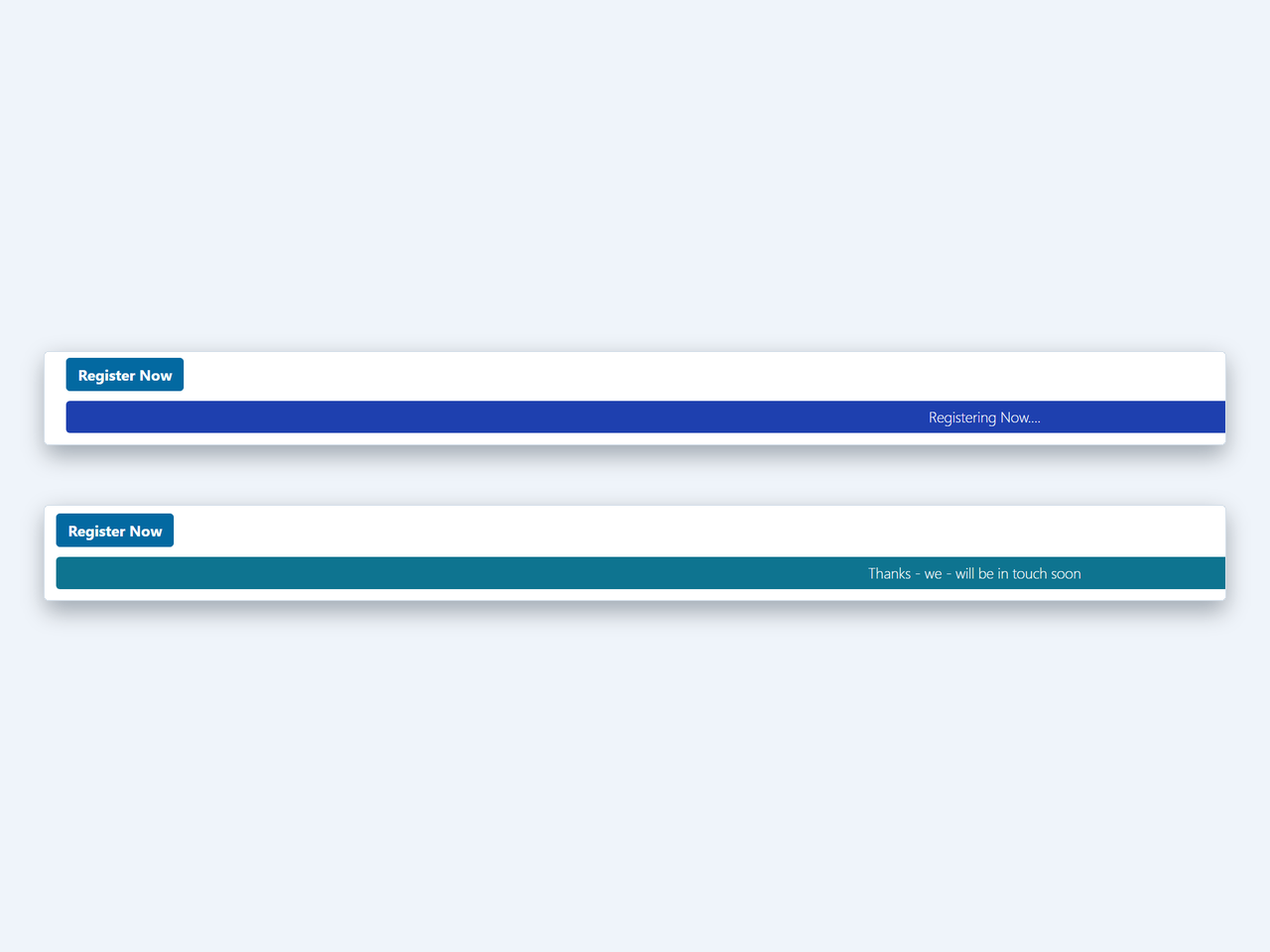
- The Theme step now shows a live sample – the submit button and the success, error and sending message lines painted in the theme’s exact colours – so you can see what a theme does without opening the full preview.
- The Layout designer is now the clear centrepiece of the builder: its own bordered card under a “Layout” heading, set apart from the plainer settings around it. (The same treatment ships in the Cordex Forms Pro add-on.)
1.9.23
- Fixes the preview after a test submission. Submitting a live preview then using “Submit another response” reloaded the preview frame – which failed because the preview document’s temporary URL had already been released. It is now held until the preview is closed, so a reload works and you can run another test straight away. A browser check now exercises the reload. (Same fix in the Cordex Forms Pro add-on.)
- The Go Pro page now shows the newer add-on capabilities it was missing: the conditional rules engine, required document sets, de-duplication (match and update instead of creating a duplicate), and hidden fields / default values.
- Wording: the upload malware-scanning feature now reads “can be virus-scanned” rather than “is virus-scanned”, since scanning is an Enterprise option you turn on, not something that always runs.
1.9.22
- Designer layout tidy-up on the Shortcodes screen. All the builder cards now sit at one full width – the “Live shortcode” and “In plain English” cards line up with the config card above them instead of stopping short and leaving a band of empty screen. The Pro upsell note fills its row rather than being capped at the reading width. And the gap between the config card and the “Live shortcode” card is now the same even spacing as every other card, instead of the two being jammed together. A browser check now measures all three so they cannot drift again.
1.9.21
- The designer’s tabs now run horizontally across the top with a full-width panel below – the same layout as the Cordex Forms Pro add-on – instead of a vertical list down the left, and the whole designer now grows to the full working width of the screen so the layout designer and field picker have room.
- When a picked column is not on the chosen table, the message now names it exactly (for example: ‘”entityimage” is not a column on this table, so it can\’t be included – remove it from the picked fields, then save again.’) instead of the old vague “one of the picked fields is not available”.
- The live preview no longer goes blank when the form still has such a column: it drops that one column, notes it above the form, and renders (and lets you test) the rest, so you can keep designing while you sort the offending field out.
Earlier entries are in changelog.txt, shipped with the plugin.