
Description
When a developer or marketer joins an agency, they need an account on every client site. When they leave, every one of those accounts must go. Doing it site by site is slow and one forgotten account is a security risk.
Agency Manager keeps your team in one place and applies it to your client sites:
- Define team members and teams (for example Developers or Marketing), each with the role it gets on client sites.
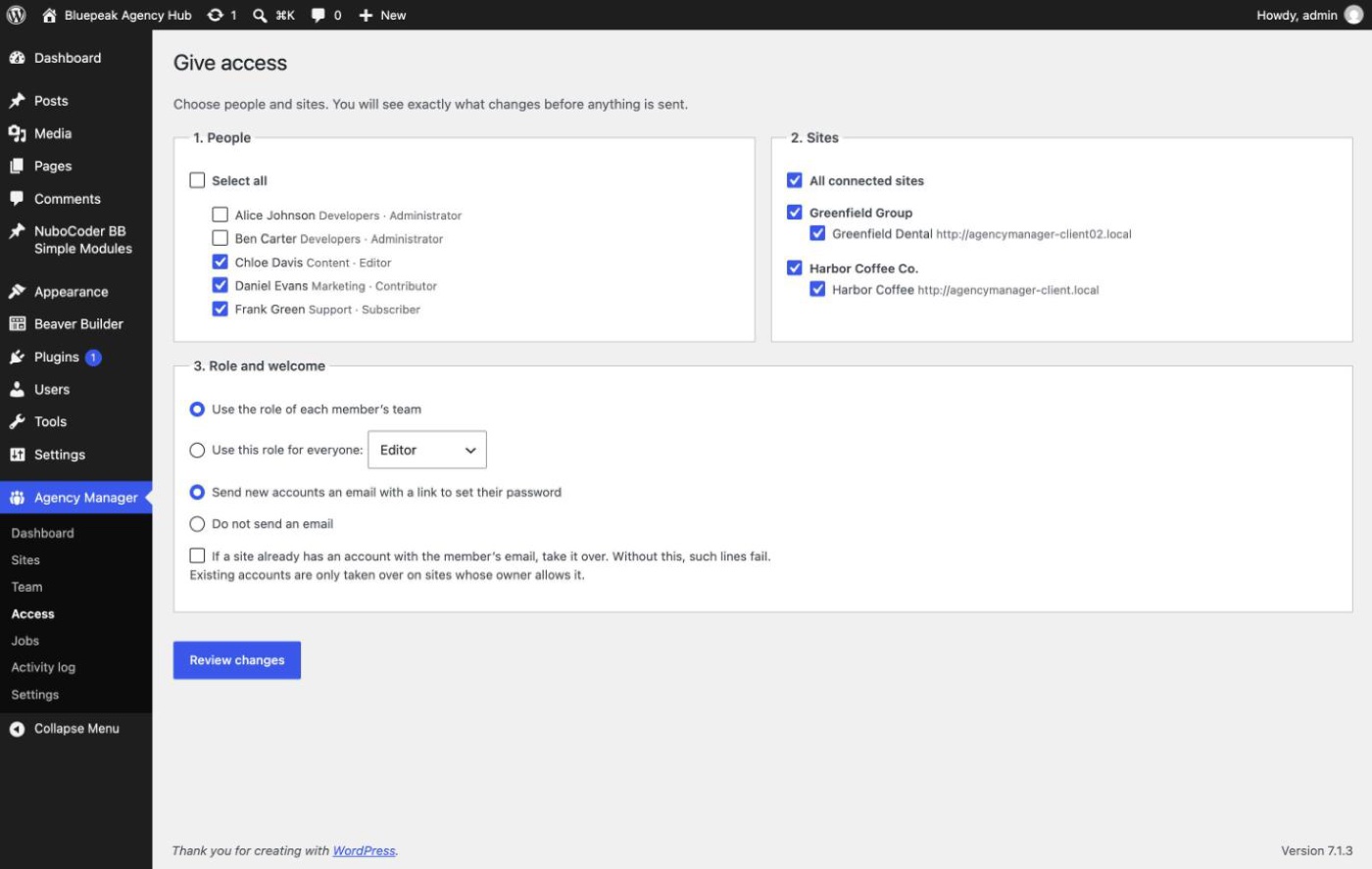
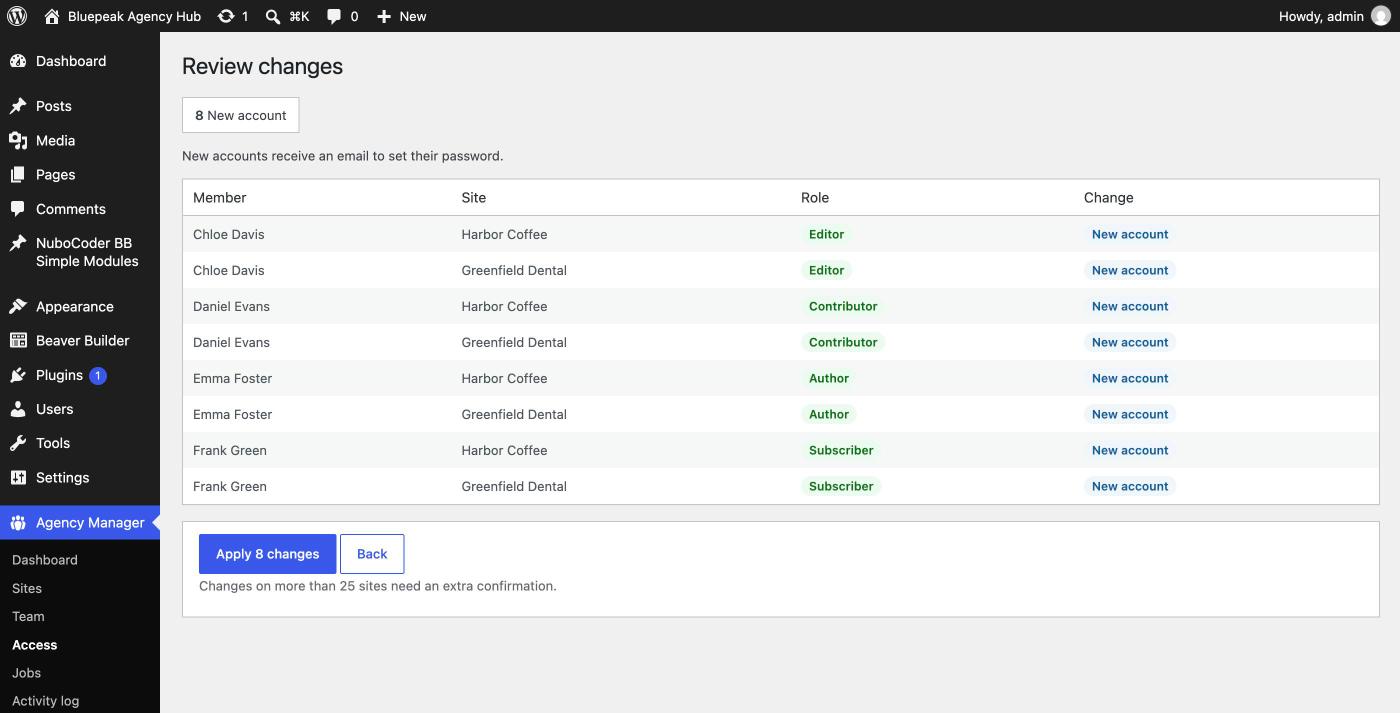
- Give access to one or many people on one, several or all sites, with a review of every change before anything is sent.
- Change roles, suspend, restore or remove accounts in bulk.
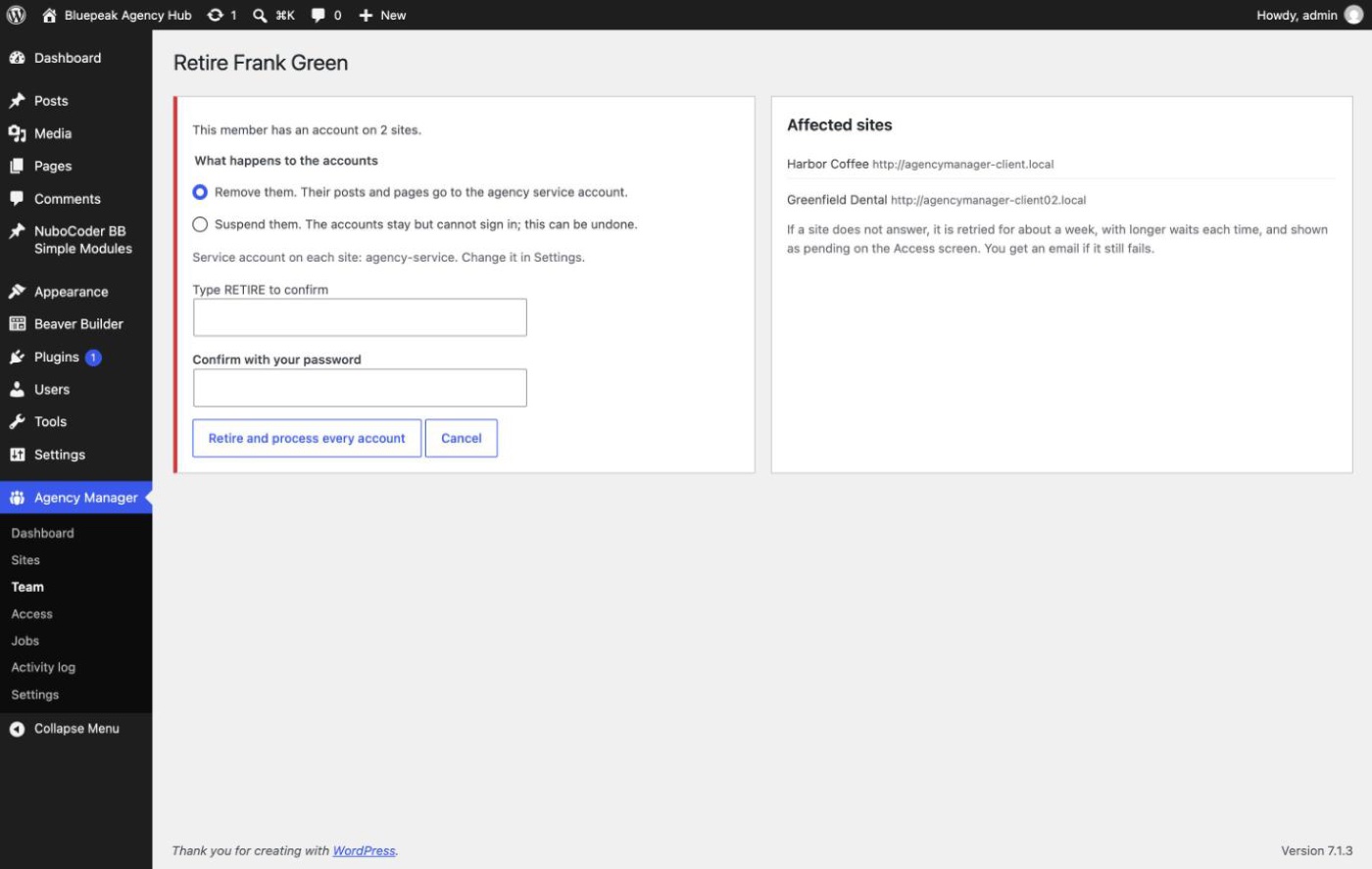
- Retire a member: every account is removed or suspended, and sites that do not answer are retried for about a week. Their content goes to an agency service account.
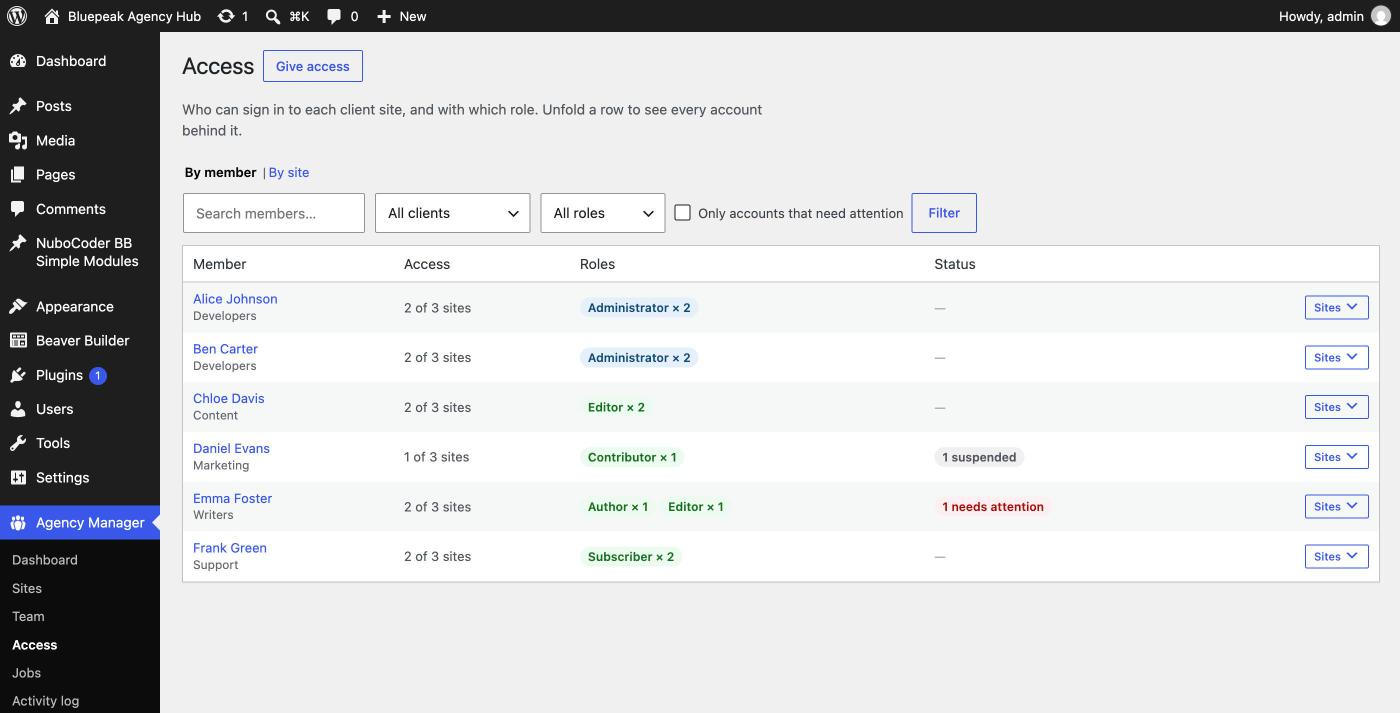
- See who has access to what in the access matrix, including accounts whose role was changed on the site and administrators not managed by the agency.
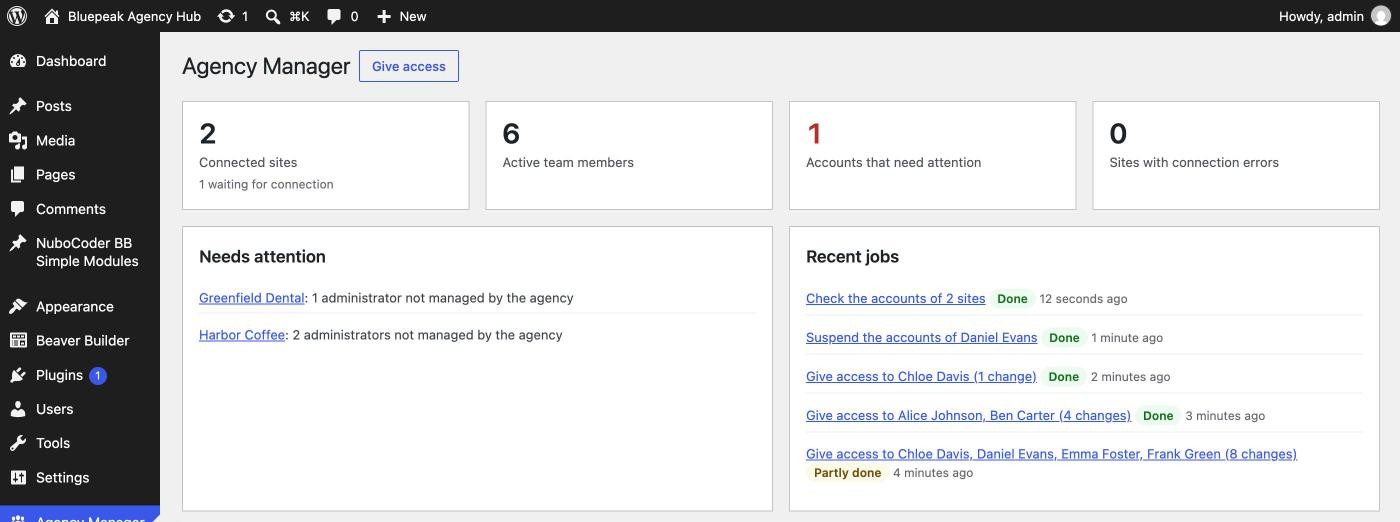
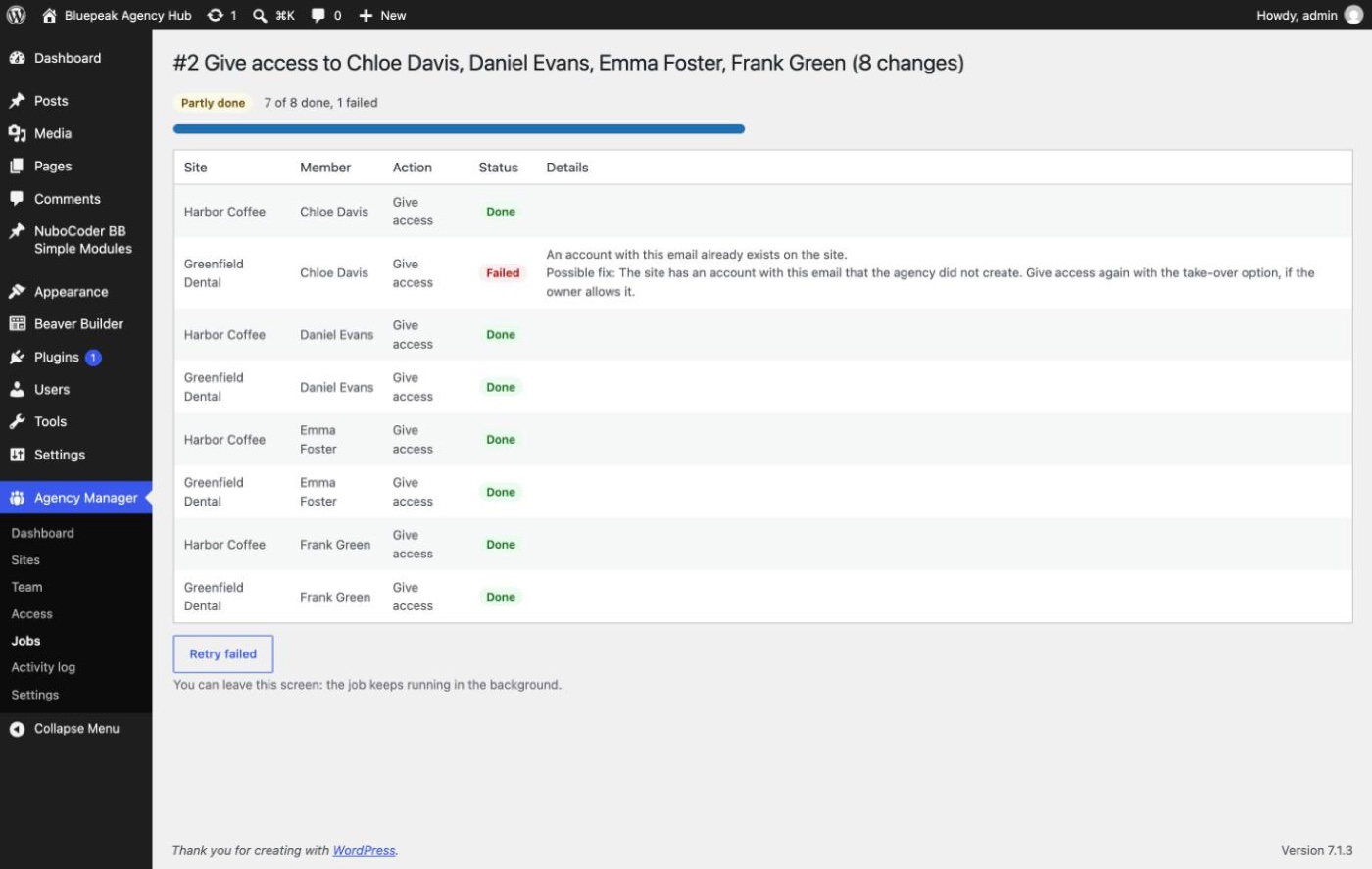
- Follow every change site by site, with the attempts made and a possible fix for each failure, retry failures and read the tamper-evident activity log.
- Get one email when changes could not be completed or a site keeps failing its daily check, plus a notice and a counter in the WordPress admin.
Each client site needs the companion plugin Nubocoder Agency Manager Client.
Full documentation: cesarsiancas.com/plugins/nubocoder-agency-manager.
Security
- Every request to a client site is signed with a key pair dedicated to that site, is valid for five minutes and cannot be replayed. Responses are signed too.
- Site keys are encrypted in the database with the NBAM_ENCRYPTION_KEY constant.
- Client sites only let the agency change accounts it created; the site owner decides what the agency may do and can disconnect at any time.
- Removing access, restoring accounts and granting administrator roles ask for your password again. The owner is emailed about critical actions, and security alerts are always emailed.
- Dedicated capabilities, optional mandatory two-factor authentication and an emergency button that revokes every key.
Install the hub on a dedicated WordPress site with few plugins, not on the public website of the agency.
External services
This plugin does not use any third-party service. It only talks to the client sites that you add in Agency Manager Sites, which run the companion plugin Nubocoder Agency Manager Client. Nothing is sent until you add a site and its owner pastes the connection key on that site.
- When a client site connects, it sends its address, its REST endpoint, its public key and the client plugin version.
- To show and apply access, the hub sends signed requests to each connected site: the login, email, first and last name and role of the team members you give access to, and the role changes, suspensions and removals you confirm.
- Client sites answer with their WordPress and PHP versions, their name and address, their roles and number of users, and the login, email, role and post count of the accounts the agency manages there, plus the login, email and role of their administrators, so they appear in the access matrix.
- When you disconnect a site or use Revoke all, the hub tells that site to forget the connection.
The data stays between your hub and your client sites. The hub also sends emails about critical actions through wp_mail() of your own site.
Third-party libraries
The plugin includes Action Scheduler (https://actionscheduler.org/, GPLv3 or later) to run jobs in the background. The full source, including composer.json, is part of the plugin.
Screenshots
Installation
- Install and activate the plugin on the agency WordPress site.
- Add define( ‘NBAM_ENCRYPTION_KEY’, ‘…’ ); to wp-config.php. Agency Manager Settings shows a ready to copy line.
- In Agency Manager Sites, add a client site and copy its connection key.
- On the client site, install Nubocoder Agency Manager Client and paste the key in Settings Agency Connection.
- Create your teams and members, then give access.
For reliable background jobs, run WP-Cron from a server cron job and set DISABLE_WP_CRON.
FAQ
-
Does the hub store passwords of client sites?
-
No. New accounts get a random password and, if you choose, an email to set their own. The hub never receives passwords.
-
What happens to posts of removed accounts?
-
They are reassigned to the agency service account configured in Settings, created on each site with the Subscriber role.
-
Can the agency delete accounts of the site owner?
-
No. The client plugin only changes accounts the agency created or linked, and never removes the last administrator.
Reviews
There are no reviews for this plugin.
Contributors & Developers
“Nubocoder Agency Manager” is open source software. The following people have contributed to this plugin.
Contributors
Translate “Nubocoder Agency Manager” into your language.
Interested in development?
Browse the code, check out the SVN repository, or subscribe to the development log by RSS.
Changelog
0.2.0
- Retries with a limit: every change is retried 3 times (1, 5 and 15 minutes); removals and suspensions keep trying with longer waits for about six days. Blocked requests (HTTP 401) are retried too, and removals also retry when the client plugin is deactivated or a firewall answers.
- The job screen shows the attempt counter, the next try and a possible fix for each failed line.
- One email per finished job with changes that could not be completed, with a possible fix for each line.
- Sites whose daily check fails 3 times in a row are emailed; after 14 the daily check is paused until a check succeeds.
- A notice across the WordPress admin and a counter on the menu show what needs attention. The notice can be dismissed until something new happens.
- Security alerts (wrong passwords, altered log, revoked keys, changed security settings) are emailed even when critical action emails are off. Moving the notification address tells the old address too.
- Changing a role to an administrator-level one, or restoring an administrator account, is emailed like a grant.
- Give access asks for your password when it restores suspended accounts, and blocks lines that the site owner does not allow (from the last check).
- The account check stores the site status and permissions even when the owner does not allow the accounts to be read.
- New sites are checked 30 seconds after they connect.
- Remove all team accounts of one site from its screen.
- Disconnecting a site that still has team accounts warns about them, links to removing them first, and asks to confirm that they stay on the site.
- The disconnection notice of a site must come from its registered address, so a staging copy cannot disconnect the real site. Requires Nubocoder Agency Manager Client 0.1.1 or later for the notice to be accepted.
- Removed accounts show how many items went to the service account.
- Longer key fingerprints (128 bits).
- More actions in the activity log, a warning about overdue background tasks, and the weekly report leaves out failures solved later.
- A process without NBAM_ENCRYPTION_KEY no longer moves the site keys to the key derived from the salts.
0.1.1
- The Agency Manager menu now sits at the end of the admin menu instead of near the top.
- Deactivation removes the Action Scheduler WP-Cron event, so WP-Cron no longer logs an error for it afterwards.
0.1.0
- First release: sites, teams, members, access grants, role changes, suspension, removal, retirement, access matrix, jobs and activity log.